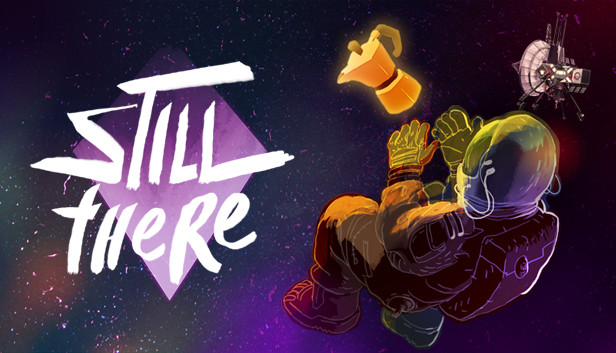
STILL THERE is a story-driven psychological adventure game about lingering grief, technical puzzles, wacky AIs and dark humour. Evade the past, welcome oblivion, make the perfect Italian coffee.
LEARN THE TRUTH
After receiving an emergency radio transmission, the routines of an isolated space-lighthouse keeper and his AI companion are broken forever. Confront, console and confess through dialogues with rich and compelling characters. A classic, humane, sci-fi mystery.
SOLVE CHALLENGING PUZZLES
You’ll earn a living as Karl Hamba, sole operator of The Bento; monitoring and repairing its core systems alongside Gorky, your on-board artificial intelligence. Study your environment to understand the complex functions of the station, report back to your inept employers and discover your true purpose.
PASS THE TIME
In between your daily tasks you’ll find plenty to occupy yourself with. Challenge Gorky to a game of chess, nurture a pet tuatara and recycle your own urine into another “delicious” meal. The Bento is brimming with detail and interesting ways to interact with everything you see.
Sound card: DirectX compatible sound card with latest drivers
Additional notes: Using an AMD Crossfire setup might result in performance issues.
windows Recommended
OS: Windows 7 64-bit and above
Processor: Intel Core i5-4690K @3.50GHz or AMD FX-9370
Memory: 8 GB RAM
Graphics: NVIDIA® GeForce® GTX 960 or AMD Radeon R7 370
Storage: 512 MB available space
Directx: Version 11
Sound card: DirectX compatible sound card with latest drivers
Additional notes: Using an AMD Crossfire setup might result in performance issues.
macosx Minimum
OS: MacOS Sierra 10.13.6
Processor: Intel Core i3 2.4GHz
Memory: 6 GB RAM
Graphics: Intel UHD Graphics 630
Storage: 512 MB available space
macosx Recommended
OS: MacOS Mojave 10.14
Processor: Intel Core i5-4690
Memory: 8 GB RAM
Graphics: AMD Radeon Pro 560
Storage: 512 MB available space
To activate the game, you need a Steam Account
Login or register at the official Steam Website and download Steam client
Install and start application, login with your Account name and Password
Click the Games Menu.
Choose Activate a Product on Steam...
Follow the onscreen instructions to complete the process
After the successful code verification, go to the "MY GAMES" tab and start downloading.
News & Updates
2026-08-07
Yet Another Chance to Earn Extra 50 YXP
Summer is already in full swing and YUPLAY has decided to give you yet another chance to earn an additional 50 YXP to help you reach the next rank. On top of the YXP you receive based on the amount of your purchase, you will also earn these additional 50 bonus YXP for limited time only. All you need to do is make a purchase of at least €10 between 07.08.2026 15:00 CET and 10.08.2026 15:00 CET and receive an extra 50 YXP for our Loyalty Program…
The Summer Sale Returns: Bigger Deals for 48 Hours Only
Summer is here and we are already preparing for a super fresh season full of incredible delights and heated moments! Make an order of over 15€ between 31.07.2026 13:00 CET and 02.08.2026 15:00 CET and you will get our special SUMMER DEALS GIFT, which will contain one of the following: discount codes - 10% OFF, 20% OFF, 25% OFF or 50% OFF; discount vouchers - 1€, 2€, 5 or 10€; or a FREE GAME…