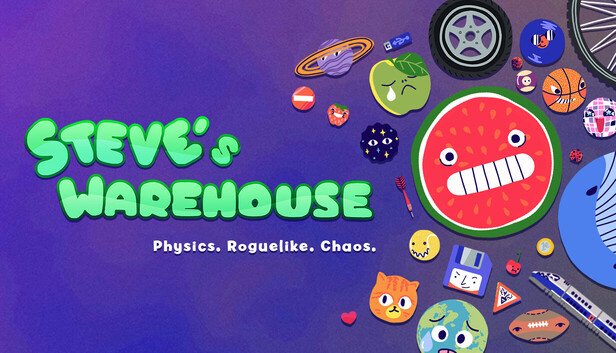
Steve is a busy alien and they must collect and sort out human fruits, animals, storage or even planets. To do so, Steve will combine the same objects to create better objects, make more points, and make more money!
Discover the ultimate physics deck-builder: Suika meets Roguelike
Steve's Warehouse is inspired by the Watermelon game (Suika game) and rogue-like deckbuilding games (such as great games like Peglin, Luck be a Landlord or Balatro). Physics will do its thing, creating both the most satisfying and the most funnily frustrating situations
Experiment with object families and their strange effects
Strange effects include animals that eat fruits, strange letters that rotate, and sports balls that create objects when they touch a wall. Each of the 8 families works singularly around physics or other objects!
Spice things up with passives
With more than 40 unique passives, discover various combinations to have a crazier effect: Transform every object into a car, make every object rotate, win points when using a bomb or TNT...
Survive bosses and Challenges
Each arena has a boss with a special effect to give you one last challenge before finishing the game. Additionally, discover 7 unique challenges changing the game rules entirely!
What to expect?
8 object families, including Fruits, Animals, Celestials, Transportations, Storages or even Sports balls
70+ objects, each with a dedicated physics, effect, and points!
40+ passive objects that will let you create unexpected combos
7 different arenas changing the difficulty
8 bosses to survive
7 challenges to play the game in unexpected ways
windows Minimum
Processor: Intel or AMD Dual Core CPU
Memory: 2 GB RAM
Graphics: Nvidia GeForce 9600 GT or AMD Radeon HD 2400
Storage: 80 MB available space
windows Recommended
OS: Windows 10/11
Memory: 8 GB RAM
Storage: 80 MB available space
To activate the game, you need a Steam Account
Login or register at the official Steam Website and download Steam client
Install and start application, login with your Account name and Password
Click the Games Menu.
Choose Activate a Product on Steam...
Follow the onscreen instructions to complete the process
After the successful code verification, go to the "MY GAMES" tab and start downloading.
News & Updates
2026-07-20
Our Way of Saying Thank You
Great games are nothing without loyal gamers and we're grateful to have such an amazing community that supports our store. That’s why we’re launching our special “YUPLAY Is Feeling Generous” campaign as a way of saying “Thank you”. During this campaign, with every order over €30 you will receive a free 10% discount code that can be used during your next purchase…
The FIFA World Cup 2026 is coming in hot this summer and while these coming weeks it is all going to be centered around the best game in the world of sports, we decided to bring you a dedicated YUPLAY giveaway to commemorate the occasion together! This promotional giveaway campaign invites all of our followers to try and predict the exact final scores of selected matches from the World Cup…
This game does not default to external Bluetooth/USB controllers on Deck, and may require manually switching the active controller via the Quick Access Menu
All functionality is accessible when using the default controller configuration
This game shows Steam Deck controller icons
In-game interface text is legible on Steam Deck
This game's default graphics configuration performs well on Steam Deck