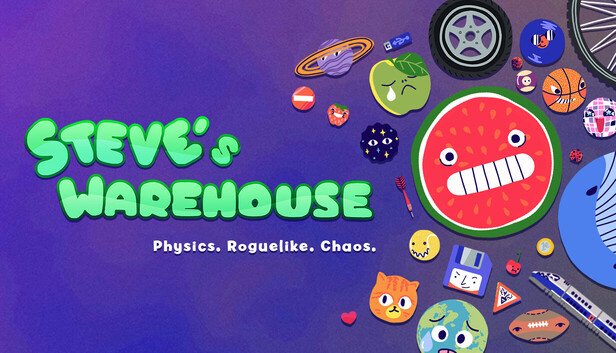
Steve is a busy alien and they must collect and sort out human fruits, animals, storage or even planets. To do so, Steve will combine the same objects to create better objects, make more points, and make more money!
Discover the ultimate physics deck-builder: Suika meets Roguelike
Steve's Warehouse is inspired by the Watermelon game (Suika game) and rogue-like deckbuilding games (such as great games like Peglin, Luck be a Landlord or Balatro). Physics will do its thing, creating both the most satisfying and the most funnily frustrating situations
Experiment with object families and their strange effects
Strange effects include animals that eat fruits, strange letters that rotate, and sports balls that create objects when they touch a wall. Each of the 8 families works singularly around physics or other objects!
Spice things up with passives
With more than 40 unique passives, discover various combinations to have a crazier effect: Transform every object into a car, make every object rotate, win points when using a bomb or TNT...
Survive bosses and Challenges
Each arena has a boss with a special effect to give you one last challenge before finishing the game. Additionally, discover 7 unique challenges changing the game rules entirely!
What to expect?
8 object families, including Fruits, Animals, Celestials, Transportations, Storages or even Sports balls
70+ objects, each with a dedicated physics, effect, and points!
40+ passive objects that will let you create unexpected combos
7 different arenas changing the difficulty
8 bosses to survive
7 challenges to play the game in unexpected ways
windows Minimum
Processor: Intel or AMD Dual Core CPU
Memory: 2 GB RAM
Graphics: Nvidia GeForce 9600 GT or AMD Radeon HD 2400
Storage: 80 MB available space
windows Recommended
OS: Windows 10/11
Memory: 8 GB RAM
Storage: 80 MB available space
To activate the game, you need a Steam Account
Login or register at the official Steam Website and download Steam client
Install and start application, login with your Account name and Password
Click the Games Menu.
Choose Activate a Product on Steam...
Follow the onscreen instructions to complete the process
After the successful code verification, go to the "MY GAMES" tab and start downloading.
News & Updates
2026-05-29
Beyond the Main Story: The Best Things to Do in GTA 6
Welcome back to Vice City! Ready to ride through the streets with us and go sightseeing in the most anticipated GTA game to date? Finally, after a more than a couple of delays, there has even been a confirmed GTA 6 release date that should absolutely be included in the article, and that would be 19.11.26. Put on your best drip and hop in the YUPLAY review wagon with us and let’s begin the tour immediately…
Looking for a quick way to boost your Loyalty status? On top of the regular YXP you receive from your purchase, you will also earn an additional 50 bonus YXP as part of this special promotion. All you need to do is make a purchase of at least €10 between 27.05.2026 11:00 CET and 01.06.2026 15:00 CET and receive an extra 50 YXP for our Loyalty Program…
This game does not default to external Bluetooth/USB controllers on Deck, and may require manually switching the active controller via the Quick Access Menu
All functionality is accessible when using the default controller configuration
This game shows Steam Deck controller icons
In-game interface text is legible on Steam Deck
This game's default graphics configuration performs well on Steam Deck