2026-10-23
BOO! Giveaway - Win a Game of Your Choice
Make a purchase of any amount between 23.10.2026 15:00 CET and 28.10.2026 15:00 CET, submit your Order ID in our Gleam and get a chance to win a FREE GAME (up to 50€).…



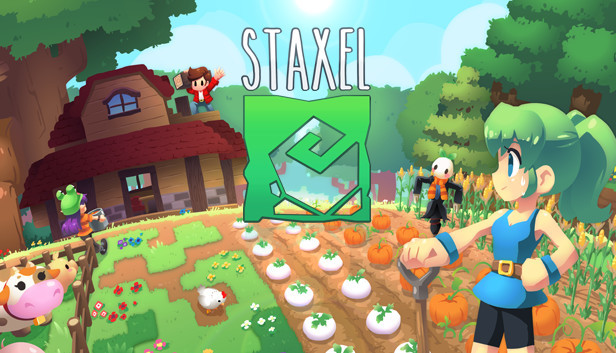
Staxel is a creative farming and village life game with a cast of quirky characters. Build your farmhouse, help villagers, take to the wilds to fish or hunt for bugs, and grow a variety of crops in your backyard. If you’re feeling social, you can even invite your friends over to share in the fun!
In Staxel, you’re tasked with restoring the farm to its former glory as the newest resident in a budding village. While they may have their quirks, the other residents will help you get settled in. Return the favour and help the village flourish!
When you’re not hanging out with your newfound friends or working on your farm, you could be pursuing a new hobby, completing one of many collections, spending your hard-earned money on precious seeds, or lending a hand and making your mark on the town!
Put down your roots and settle into life as a newcomer to the village. Starting out with a run-down, old home and farmland reclaimed by the wilderness, it’s up to you to turn the place around. Plant seeds, carefully tend to your crops, take care of your animals, and expand your farm. Don’t forget: take care of your farm, and your farm will take care of you!
Working a farm on the outskirts of an unfamiliar village can get lonely, so why not invite your friends to hang out? Staxel was designed with multiplayer in mind from day one, so team up and get your buddies working those fields! You can share a farm with your friends or become neighbours in Staxel’s vast world.
Staxel’s voxel-based sandbox world lets you alter your surroundings however you like, and with a rich selection of in-game materials and an intuitive approach to modding, you can truly create your own unique world within the game.
Will you grow the village while keeping its rustic charm, or take it in an entirely new direction? Perhaps you’d rather leave the village and focus on your own projects? It’s all up to you, and your creativity is exactly the tool for the job!