This content requires the base game in order to play:Stars in Shadow
Game Description
System Requirements
Activation Details
It’s been three thousand years after the Great War and the collapse of the hyperspace lanes. The galaxy is reawakening, thanks to an unknown influence who has restored the warp lanes back into operation. Who restored the warp lanes, and for what purpose?
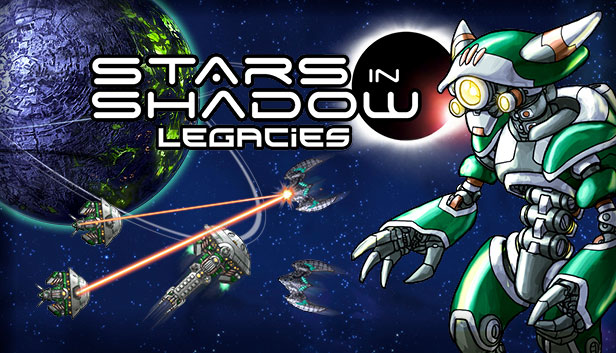
Legacies introduces a new playable faction, the cyborg Tinkers. The Tinkers are a race of cyborgs who worship Dzibix, an ancient mega machine located on their arid homeworld of the same name. Dzibix is -- or was -- an automated factory built by one of the ancient civilizations of the Golden Age.
The Tinkers worship Dzibix as a machine god and as result it has grown to cover most of the planet and has achieved at least minimal self-awareness. To appease their machine god the dutiful Tinkers have converted themselves into cyborgs and remade their society as a cybernetic civilization.
Tinkers’ ships have increased armor, self-repair capability, and special systems for handling missiles and fighters. The Tinkers will have a custom home world and a full set of custom spaceships to build, and will take special advantage of several new gameplay features.
Also joining the galaxy is new minor faction: the hyperspace-dwelling Arda Seed. The Arda Seed will employ a number of new starship and station types, and make special use of several new gameplay features.
The Arda Seed faction represents the next step in uncovering the story of the causes behind the Great War, which will continue to be expanded upon in upcoming DLC.
Legacies Features
New playable faction: Tinkers
New population type: cyborgs
New planetary special: Planetary Debris Rings and Asteroid Bases
Additional notes: Stars in Shadow requires the OpenGL framebuffer extension. This extension is present on almost all graphics drivers released after 2010, but laptops made before 2010 with vendor-locked graphics drivers may not be able to run the game.
windows Recommended
OS: Windows 7,8,10
Processor: Intel Core Duo 3.0 GHz or equivalent
Memory: 8 GB RAM
Graphics: NVIDIA Geforce 400 Series or better, 1 GB RAM
To activate the game, you need a Steam Account
Login or register at the official Steam Website and download Steam client
Install and start application, login with your Account name and Password
Click the Games Menu.
Choose Activate a Product on Steam...
Follow the onscreen instructions to complete the process
After the successful code verification, go to the "MY GAMES" tab and start downloading.
News & Updates
2026-06-11
Celebrate FIFA World Cup 2026 with YUPLAY
The FIFA World Cup 2026 is coming in hot this summer and while these coming weeks it is all going to be centered around the best game in the world of sports, we decided to bring you a dedicated YUPLAY giveaway to commemorate the occasion together! This promotional giveaway campaign invites all of our followers to try and predict the exact final scores of selected matches from the World Cup…
First V-Bucks, Now Steam Decks: Why Gaming is Getting More Expensive
Has gaming been steadily becoming more and more expensive lately? In the past months and quarters there has definitely been an increase in pricing in both the software and hardware departments of gaming and this trend has definitely stricken the market in more than a couple of ways. The industry has experienced a trend of gaming price increases as well as more expensive subscriptions…