2026-10-23
BOO! Giveaway - Win a Game of Your Choice
Make a purchase of any amount between 23.10.2026 15:00 CET and 28.10.2026 15:00 CET, submit your Order ID in our Gleam and get a chance to win a FREE GAME (up to 50€).…



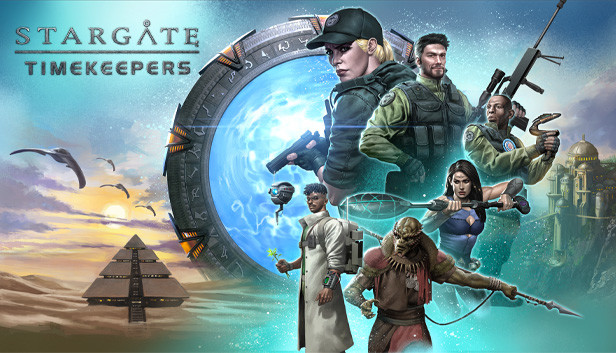
Stargate: Timekeepers is a tactical game in which you lead a team of specialists through a story-driven campaign featuring an original narrative set in the Stargate SG-1 universe. Sneak a newly formed team behind enemy lines, use your characters’ unique skills, craft the perfect plan to unravel a timeloop mystery, and defeat the Goa’uld threat.
DIVE INTO THE STARGATE SG-1 UNIVERSE
Stargate: Timekeepers departs from the end of season 7 of the Stargate SG-1 main plot to create an original story, unfolding over 14 narrative-rich missions. Your adventure starts during the Battle of Antarctica, where Commander Eva McCain and her team are supporting the SG-1 against Anubis’s fleet.
Sometime later, Eva and her team of specialists are tasked with a new mission in the Stargate universe: help the Jaffa Resistance, prevent brutal rituals, strike against Moloc’s army, and seek an alliance with the Unas.
LEAD A TEAM OF SPECIALISTS
Lead a team of specialists operating behind enemy lines. Use your characters’ unique skills to come up with perfectly synchronized plans to overcome Kull Warriors, Jaffa Generals, Moloc’s Officers and many new and original enemies.
Natural leader and long-time soldier, Eva McCain is a master of automatic rifles. Extremely agile and an expert sniper, Max Bolton can hide in a gillie suit to find the perfect spot to take down enemies from long distances. Sam Watson, trained spy and technical officer, is an expert on alien gadgetry. Derreck Harper’s drones carry out some of the most difficult tasks, including healing allies and deactivating hostile electronic devices. The core team from Tau’ri makes friends along the way: A’ta, Jaffa rebel and sneaky thief, carries a Ma’tok staff for short-range combat. Xugga, a powerful yet good-natured Unas veteran, joins your team - along with a little friend.
Each individual has a set of unique abilities: play smart and combine them to silently eliminate your enemies in quick succession. Tactical Mode allows you to synchronize your characters’ actions perfectly.