2026-10-23
BOO! Giveaway - Win a Game of Your Choice
Make a purchase of any amount between 23.10.2026 15:00 CET and 28.10.2026 15:00 CET, submit your Order ID in our Gleam and get a chance to win a FREE GAME (up to 50€).…



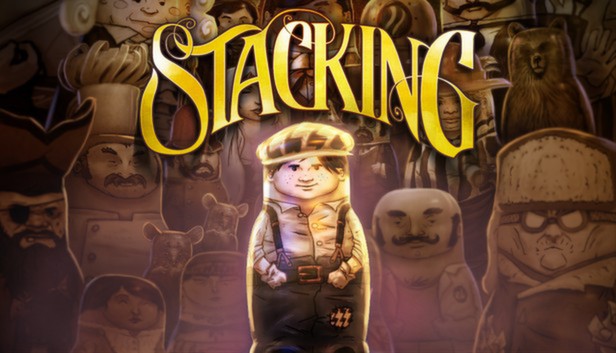
From Tim Schafer’s Double Fine Productions, explore a vintage world inhabited by living Russian stacking dolls as you jump into more than 100 unique dolls and use their special abilities to solve a wide variety of puzzles & challenges. Play as Charlie Blackmore, the world’s tiniest Russian stacking doll, and embark on an adventure to rescue Charlie’s family from the nefarious industrialist known only as the “Baron.” This imaginative 3rd person puzzle adventure game will take you on a journey from a bustling Royal Train Station to a high-flying Zeppelin as you collect unique dolls and matched stacking sets to display in Charlie’s secret hideout, where you chronicle your adventures.
Continue the Stacking adventure with The Lost Hobo King DLC pack, included free in the PC version!
In the Lost Hobo King, the first downloadable expansion for Double Fine’s Stacking, players once again assume the role of Charlie Blackmore, the world’s smallest Russian stacking doll. Charlie travels with his hobo friend Levi to the mysterious kingdom of Camelfoot, the mythical resting place of lost hobo king and his crown. Charlie must help Levi’s uncle, Rufus Ryken, reclaim his rightful throne by solving three tests of valor and reawakening the hobo blacksmiths of old. Only then can the crown be reforged, enabling Rufus to become king and unite the fractured hobo people under one sardine. The Lost Hobo King features a complete adventure with several new challenges, each with multiple solutions, an all new assortment of unique dolls with engaging abilities, and a new round of hi-jinks to discover and make trouble with. Only the worthy can reclaim the crown of Camelfoot!
Features an all new concept art browser exclusive to the PC version!
Stacking, Double Fine Productions, and the Double Fine logo are the exclusive trademarks of Double Fine Productions, Inc. All rights reserved.