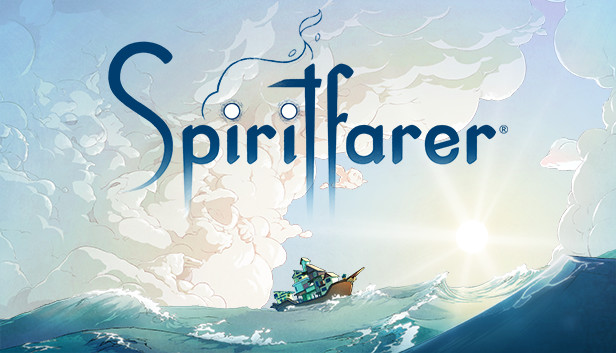
Spiritfarer® is a cozy management game about dying. You play Stella, ferrymaster to the deceased, a Spiritfarer. Build a boat to explore the world, then befriend and care for spirits before finally releasing them into the afterlife. Farm, mine, fish, harvest, cook, and craft your way across mystical seas. Join the adventure as Daffodil the cat, in two-player cooperative play. Spend relaxing quality time with your spirit passengers, create lasting memories, and, ultimately, learn how to say goodbye to your cherished friends. What will you leave behind?
Features:
Enjoy beautiful hand-drawn art and animation.
Build, manage, and improve your own ferry.
Farm, mine, fish, harvest, cook, weave, craft! An endless variety of activities await you!
Meet, take on board, care for, and forge relationships with a cast of memorable characters.
Run, jump, and glide your way through elegantly constructed platforming levels.
Explore a fantastic and imaginative world. Seek and gather resources to craft upgrades for your ship and gifts for your passengers.
Experience moving, emotional stories filled with unforgettable moments.
Unwind for hours into cozy and relaxing gameplay. 30 hours to finish, 50+ to experience everything Spiritfarer has to offer.
Make the adventure your own with rich customization options for your boat, character, even the cat!
Play as Daffodil the cat in optional local co-op. Supports Remote Play Together.
Graphics: DirectX 10-compatible graphics card with at least 1GB of video memory
Storage: 7 GB available space
Directx: Version 10
macosx Minimum
OS: OS X Yosemite
Processor: Dual Core 3.0 GHz Processor
Memory: 4 GB RAM
Graphics: Intel Iris 1536
Storage: 7 GB available space
linux Minimum
OS: Ubuntu 14.04
Processor: 3.0 GHz Dual-Core
Memory: 4 GB RAM
Graphics: DirectX 10-compatible graphics card with at least 1GB of video memory
Storage: 7 GB available space
To activate the game, you need a Steam Account
Login or register at the official Steam Website and download Steam client
Install and start application, login with your Account name and Password
Click the Games Menu.
Choose Activate a Product on Steam...
Follow the onscreen instructions to complete the process
After the successful code verification, go to the "MY GAMES" tab and start downloading.
News & Updates
2026-09-25
Introducing a New Way to Discover Great Games
As you probably already know, at YUPLAY we constantly strive to discover new and exciting ways to regularly promote the best video game titles directly to you. We do that quite often with our storewide discount campaigns, but we were looking for another way to do it without the need for a whole promotional event…
Summer is over and the new gaming season starts with a blast at YUPLAY, so for this occasion we decided to bring you a massive storewide promotion with a surprise FREE game as a gift from us. All you have to do to participate is make an order over 9.99€ between 17.09.2026 15:00 CET and 21.09.2026 15:00 CET, and you will get your FREE game together with the ones you have purchased…