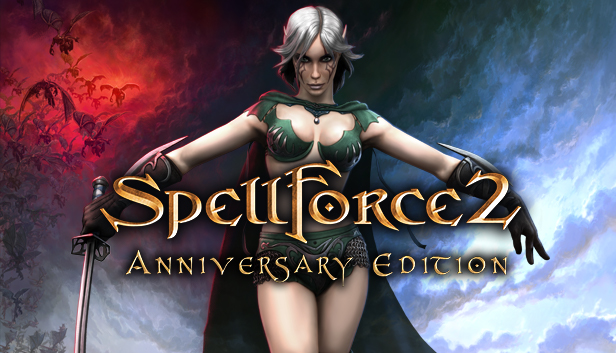
SpellForce 2 - Anniversary Edition presents the award-winning SpellForce saga hits: "SpellForce 2 – Shadow Wars" and the add-on "SpellForce 2 – Dragon Storm" for a spectacular game experience!
Experience the age of heroes: roleplaying action & realtime strategy in a perfect mix of genres.
Mysterious powers arise from darkness and shadow. They are threatening Eo, the world of SpellForce, already devastated by wars and sundered by intrigues. A hero, born of the legendary Shaikan and linked by a life bond with an ancient dragon now holds the fate of the world in his hands! Unite powerful heroes and armies under your banners, as only with joined forces you can combat this threatening doom! The burden of ancient blood is heavy, and it is yours to carry…
Fight epic campaigns with your heroes, with over 90 hours of playing time.
Individual development of the avatar and heroes with an extensive skill tree!
Control various game factions with three races each in a life-like fantasy world.
Command infantry, mounted and flying units, and unleash the enormous titans!
Experience spectacular mass battles in breath-taking 3D graphics!
Anniversary Edition Features:
Re-implemented multiplayer and NAT traversal for a smooth online experience
OS: Windows XP SP 3/Windows VISTA SP 2/Windows 7/Windows 8/Windows 10 (32 or 64bit)
Processor: AMD/Intel Dual-Core 2.4 GHz
Memory: 1024 MB RAM
Graphics: 512 MB DirectX 9.0c compatible card with shader model 3.0
Storage: 9 GB available space
Directx: Version 9.0c
Sound card: DirectX 9.0c compatible
Additional notes: Nvidia GeForce 8800 / AMD Radeon HD 3870 or better. Other cards may work, but are not explicitly supported.
windows Recommended
OS: Windows XP SP 3/Windows VISTA SP 2/Windows 7/Windows 8/Windows 10 (32 or 64bit)
Processor: AMD/Intel Dual-Core 3.2 GHZ
Memory: 2048 MB RAM
Graphics: 2048 MB DirectX 9.0c compatible card with shader model 3.0
Storage: 9 GB available space
Directx: Version 9.0c
Sound card: DirectX 9.0c compatible
Additional notes: Nvidia GeForce 560 / AMD Radeon HD 6850 or better. Other cards may work, but are not explicitly supported.
To activate the game, you need a Steam Account
Login or register at the official Steam Website and download Steam client
Install and start application, login with your Account name and Password
Click the Games Menu.
Choose Activate a Product on Steam...
Follow the onscreen instructions to complete the process
After the successful code verification, go to the "MY GAMES" tab and start downloading.
News & Updates
2026-10-23
BOO! Giveaway - Win a Game of Your Choice
Make a purchase of any amount between 23.10.2026 15:00 CET and 28.10.2026 15:00 CET, submit your Order ID in our Gleam and get a chance to win a FREE GAME (up to 50€).…
Some functionality is not accessible when using the default controller configuration, requiring use of the touchscreen or virtual keyboard, or a community configuration
This game sometimes shows mouse, keyboard, or non-Steam-Deck controller icons
Entering some text requires manually invoking the on-screen keyboard
Some in-game text is small and may be difficult to read
This game does not default to external Bluetooth/USB controllers on Deck, and may require manually switching the active controller via the Quick Access Menu
This game's default graphics configuration performs well on Steam Deck