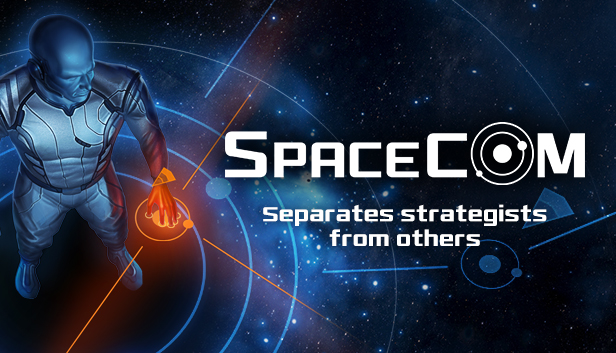
SPACECOM – a strategic-to-the-bone, starfleet command game with a heavy focus on multiplayer. Spacecom is a battle of strategists in which deception, smart movement, and choices to battle decide victory or defeat.
No coincidence, no luck. Spacecom pushes your ability to strategize with a focus on real-time tactics and planning. Use proven maneuvers learned from military legends or devise your own plans. Dominate your enemies in planetary systems with up to six players per campaign. Most of all, you'll need a bright mind, cunning, and sound tactics.
When the war begins, leave the little things behind and dive into austere soundscapes as you immerse yourself in starfleet command. From now on, what matters is your grasp of tactics and strategy, not how fast you can click. Spacecom is about creativity in planning, not complexity of game mechanics.
Key Features
Heavy focus on multiplayer - dominate up to 6 players per map
No coincidence, no luck. What matters is good planning and successful execution
Sound designed specifically to trigger strategic thinking
Minimalistic visual design inspired by military technology
Created to exalt smart thinking over fast clicking
Processor: Intel(R) Core(TM)2 Duo 1.8 Ghz or equivalent
Memory: 2 GB RAM
Graphics: NVIDIA GeForce 9400M 256MB
Storage: 500 MB available space
Directx: Version 9.0
Sound card: DirectX compatible
macosx Minimum
OS: OSX 10.6
Processor: Intel(R) Core(TM)2 Duo 2.2 Ghz or equivalent
Memory: 2 GB RAM
Graphics: NVIDIA GeForce 9400M 256MB
Storage: 500 MB available space
Sound card: Integrated
linux Minimum
OS: Ubuntu 12.04
Processor: Intel(R) Core(TM)2 Duo 1.8 Ghz or equivalent
Memory: 2 GB RAM
Graphics: NVIDIA GeForce 9400M 256MB
Storage: 500 MB available space
Sound card: Integrated
To activate the game, you need a Steam Account
Login or register at the official Steam Website and download Steam client
Install and start application, login with your Account name and Password
Click the Games Menu.
Choose Activate a Product on Steam...
Follow the onscreen instructions to complete the process
After the successful code verification, go to the "MY GAMES" tab and start downloading.
News & Updates
2026-06-11
Celebrate FIFA World Cup 2026 with YUPLAY
The FIFA World Cup 2026 is coming in hot this summer and while these coming weeks it is all going to be centered around the best game in the world of sports, we decided to bring you a dedicated YUPLAY giveaway to commemorate the occasion together! This promotional giveaway campaign invites all of our followers to try and predict the exact final scores of selected matches from the World Cup…
First V-Bucks, Now Steam Decks: Why Gaming is Getting More Expensive
Has gaming been steadily becoming more and more expensive lately? In the past months and quarters there has definitely been an increase in pricing in both the software and hardware departments of gaming and this trend has definitely stricken the market in more than a couple of ways. The industry has experienced a trend of gaming price increases as well as more expensive subscriptions…