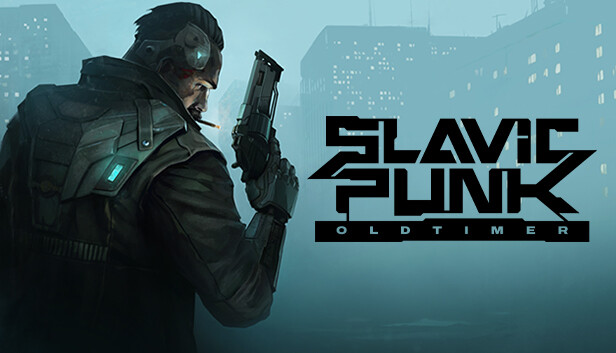
SlavicPunk: Oldtimer is an isometric shooter video game, based upon the works of Michał Gołkowski, a renown Polish science-fiction and fantasy books author. It is him who created the story of Yanus – a private investigator with a troubled past, now trying to solve an unexpected case revolving around a stolen data carrier, all this while fighting his own inner demons, the urban gangs and a nigh-omnipotent corporation responsible for the downfall of the city he used to call his own.
The game offers solid combat and movement systems, as well as a modular weapon upgrade system, thanks to which the players striding through the dark corners of the city may make every encounter feel and look different. Action-packed levels with stealth elements, hacking and environmental puzzle solving are intertwined with more slow-paced sequences of city exploration, side quests and storytelling.
A unique, inherently Slavic take on the cyberpunk world is sure to leave none indifferent thanks to its sharp, caustic sense of humour and a slightly pessimistic outlook at the neon-grey shades of the surrounding reality, at the same time providing a much needed breath of fresh air to the genre itself.
As a team, the question we asked ourselves was: what was the world going to look like in a couple of decades? How would a hypothetical Central and Eastern European city and its inhabitants differ from, say, Blade Runner ‘s L.A. or Akira’s Neo Tokyo?”.
The attempts to answer this puzzle has had a tremendous deal of influence upon the game’s artistic choices, including a mix of futuristic-esque and overly outdated technologies, the grim, brutalist architecture typical of the post-communist countries, the character’s not-so-obvious moral choices and the often crudely makeshift, yank-and-tuck character and atmosphere of an environment overpacked with people forced to cope with the uneven distribution of goods and wealth, often relying on their wits and sheer luck to make it to the next paycheck without losing their minds.
SlavicPunk story goes to show that there is more than meets the eye to this dystopian version of the future is, and it is only up to the players to discover what lies beneath the neon glow and the concrete streets – helping Yanus unravel his last case and find out just how brutal and ugly the truth may actually be.
Processor: Intel Core i5-6600K (4 * 3500) or equivalent
Memory: 8 GB RAM
Graphics: GeForce GTX 960 (4096 MB)
Storage: 17 GB available space
Directx: Version 11
windows Recommended
OS: Windows 10 64-bit
Processor: AMD Ryzen 7 5800X3D (8 * 3400) or equivalent
Memory: 8 GB RAM
Graphics: GeForce RTX 3080 Ti (12288 MB)
Storage: 17 GB available space
Directx: Version 11
To activate the game, you need a Steam Account
Login or register at the official Steam Website and download Steam client
Install and start application, login with your Account name and Password
Click the Games Menu.
Choose Activate a Product on Steam...
Follow the onscreen instructions to complete the process
After the successful code verification, go to the "MY GAMES" tab and start downloading.
News & Updates
2026-08-21
The Biggest Games to Steal the Show at Gamescom 2026
Gamescom 2026 is coming at the end of this month with more than 900 exhibitors and we just wanted to showcase some of the upcoming games in the AAA titles category that you should definitely check out! So, be sure to go through our shortlisted future release hits in most gaming genre types, as we get ready to once again explore the world of Gamescom…
ACE COMBAT 8 Could Be the Series’ Most Ambitious Entry
The upcoming Ace Combat 8: Wings of Theve marks a completely new chapter in the popular flight shooting series, by effectively blending cinematic storytelling with the thrills of aerial combat like never before. Developed by Bandai Namco Aces Inc., the game will build upon the decades of established expertise in order to further boost the series’ strong sides…
Some in-game text is small and may be difficult to read
This game does not default to external Bluetooth/USB controllers on Deck, and may require manually switching the active controller via the Quick Access Menu
All functionality is accessible when using the default controller configuration
This game shows Steam Deck controller icons
This game's default graphics configuration performs well on Steam Deck