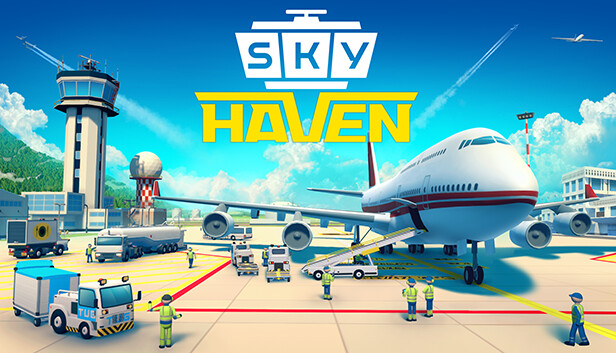
Become the biggest airport tycoon and create a home and route connections for both planes and passengers. Create your very own Skyhaven airport sandbox.
Have you ever had a flight or travel delayed or canceled or not been able to get your baggage right away? Real airports can often be annoying, inconvenient and an emotional rollercoaster to visit - so why not build your own?
BUILD
Build every part of your own airfield. Construct everything from landing strips, control towers, roads, parks, terminals, gates, buildings and much more. Buy extra land to expand your airport to city size and manage a world of planes, pax and cargo.
But you can go even deeper. Not only can you plan the entire layout of your airport, but you can also design the smallest details in the terminals to get the most optimal passenger flow.
MANAGE
Manage the entire airport to keep clients and passengers happy and satisfied in order to create a healthy economy. Make sure there is a bus or car for every man or woman that needs to get to a terminal, check if you have the fuel needed, transport their luggage safely and so on.
A well managed place for planes is a direct route to success.
DEVELOP
Skyhaven is more than just an airport building simulator. You can play out the entire history of airplanes all the way back from 1916 and into modern days, where you research and develop your way through the years to improve your technology and facilities.
You can choose your own difficulty and start with a lot of money if you are new to city builders or you can create a real challenge for yourself and create your empire from scratch.
CHOOSE
The strategy you create matters and determines how your airport looks and works. Remote or bridged ramps? Charter or regular flights? Big or small aircrafts? Domestic passengers or connected flights? Fly single planes or entire airlines? You are the manager of this tycoon/simulation and the world is your sandbox.
windows Minimum
OS: Windows 7 or newer
Processor: Intel i5-2300/AMD FX-4300
Memory: 8 GB RAM
Graphics: nVidia GTX 560 (2GB)/AMD Radeon 7850
Storage: 2 GB available space
Directx: Version 10
Sound card: DirectX Compatible
To activate the game, you need a Steam Account
Login or register at the official Steam Website and download Steam client
Install and start application, login with your Account name and Password
Click the Games Menu.
Choose Activate a Product on Steam...
Follow the onscreen instructions to complete the process
After the successful code verification, go to the "MY GAMES" tab and start downloading.
News & Updates
2026-08-21
The Biggest Games to Steal the Show at Gamescom 2026
Gamescom 2026 is coming at the end of this month with more than 900 exhibitors and we just wanted to showcase some of the upcoming games in the AAA titles category that you should definitely check out! So, be sure to go through our shortlisted future release hits in most gaming genre types, as we get ready to once again explore the world of Gamescom…
ACE COMBAT 8 Could Be the Series’ Most Ambitious Entry
The upcoming Ace Combat 8: Wings of Theve marks a completely new chapter in the popular flight shooting series, by effectively blending cinematic storytelling with the thrills of aerial combat like never before. Developed by Bandai Namco Aces Inc., the game will build upon the decades of established expertise in order to further boost the series’ strong sides…
Some functionality is not accessible when using the default controller configuration, requiring use of the touchscreen or virtual keyboard, or a community configuration
This game sometimes shows mouse, keyboard, or non-Steam-Deck controller icons
Entering some text requires manually invoking the on-screen keyboard
Some in-game text is small and may be difficult to read
This game's default graphics configuration performs well on Steam Deck