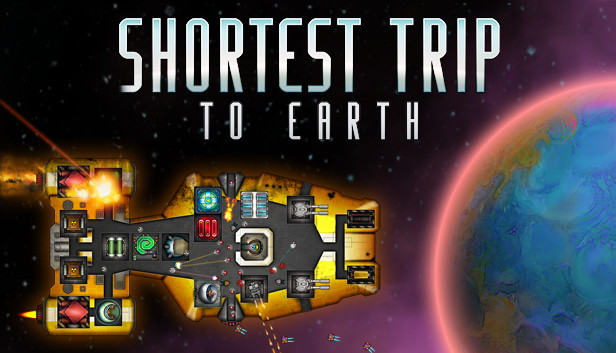
From the writer of “Teleglitch: Die More Edition” comes Shortest Trip to Earth, a roguelike spaceship simulator featuring exploration, ship management, game-influencing decision-making and real-time tactical battles.
Community Translations available in German, Russian, Simplified Chinese and more
Explore a detailed and deadly universe
Embark on a perilous journey through a procedurally generated universe and explore massive space sectors crawling with exotic lifeforms. Engage in action-packed tactical combat against hostile ships, boarding parties and inter-dimensional space monsters.
Master the art of survival by customising your ship with modular components and perks. Choose from a range of spaceships and manage life within your vessel - from crew, pets and drones to ship modules and weapons. Shape your journey through hundreds of multiple-choice events, featuring unique hand-drawn illustrations.
Shortest Trip to Earth features unforgiving permadeath, but you can unlock perks to increase the odds of survival on your next run.
Key Features
Master the art of survival in unexplored space!
Explore a procedurally generated universe, packed with content
Collect resources, craft modules & upgrade your ship
Epic real-time tactical space battles
Onboard combat, featuring hostile intruders, drones and battle-hardened pets
500+ ship modules, a variety of ship weapons and nukes
30+ unique crew weapons
50+ types of crew, drones & combat pets
Hundreds of random events with unique illustrations and outcomes
Graphics: Intel HD4400 or dedicated DX11 GPU (1280x720)
Storage: 600 MB available space
Directx: Version 11
windows Recommended
OS: Microsoft Windows 10 - 64 bit
Processor: Intel Core i5 or equivalent
Memory: 8 GB RAM
Graphics: NVIDIA GeForce 1050 (1920x1080)
Storage: 600 MB available space
Directx: Version 11
Additional notes: Large screen highly recommended (24" or better)
To activate the game, you need a Steam Account
Login or register at the official Steam Website and download Steam client
Install and start application, login with your Account name and Password
Click the Games Menu.
Choose Activate a Product on Steam...
Follow the onscreen instructions to complete the process
After the successful code verification, go to the "MY GAMES" tab and start downloading.
News & Updates
2026-07-20
Our Way of Saying Thank You
Great games are nothing without loyal gamers and we're grateful to have such an amazing community that supports our store. That’s why we’re launching our special “YUPLAY Is Feeling Generous” campaign as a way of saying “Thank you”. During this campaign, with every order over €30 you will receive a free 10% discount code that can be used during your next purchase…
The FIFA World Cup 2026 is coming in hot this summer and while these coming weeks it is all going to be centered around the best game in the world of sports, we decided to bring you a dedicated YUPLAY giveaway to commemorate the occasion together! This promotional giveaway campaign invites all of our followers to try and predict the exact final scores of selected matches from the World Cup…
Some functionality is not accessible when using the default controller configuration, requiring use of the touchscreen or virtual keyboard, or a community configuration
This game sometimes shows mouse, keyboard, or non-Steam-Deck controller icons
Entering some text requires manually invoking the on-screen keyboard
Some in-game text is small and may be difficult to read
This game's default graphics configuration performs well on Steam Deck