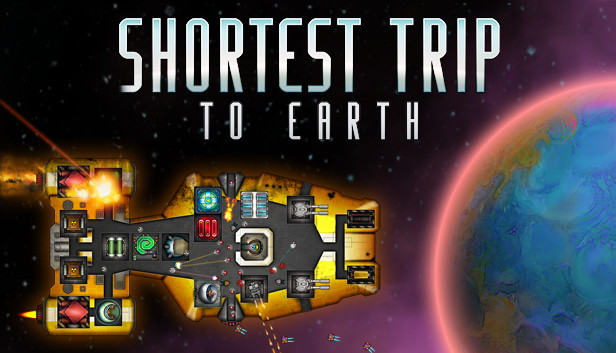
From the writer of “Teleglitch: Die More Edition” comes Shortest Trip to Earth, a roguelike spaceship simulator featuring exploration, ship management, game-influencing decision-making and real-time tactical battles.
Community Translations available in German, Russian, Simplified Chinese and more
Explore a detailed and deadly universe
Embark on a perilous journey through a procedurally generated universe and explore massive space sectors crawling with exotic lifeforms. Engage in action-packed tactical combat against hostile ships, boarding parties and inter-dimensional space monsters.
Master the art of survival by customising your ship with modular components and perks. Choose from a range of spaceships and manage life within your vessel - from crew, pets and drones to ship modules and weapons. Shape your journey through hundreds of multiple-choice events, featuring unique hand-drawn illustrations.
Shortest Trip to Earth features unforgiving permadeath, but you can unlock perks to increase the odds of survival on your next run.
Key Features
Master the art of survival in unexplored space!
Explore a procedurally generated universe, packed with content
Collect resources, craft modules & upgrade your ship
Epic real-time tactical space battles
Onboard combat, featuring hostile intruders, drones and battle-hardened pets
500+ ship modules, a variety of ship weapons and nukes
30+ unique crew weapons
50+ types of crew, drones & combat pets
Hundreds of random events with unique illustrations and outcomes
Graphics: Intel HD4400 or dedicated DX11 GPU (1280x720)
Storage: 600 MB available space
Directx: Version 11
windows Recommended
OS: Microsoft Windows 10 - 64 bit
Processor: Intel Core i5 or equivalent
Memory: 8 GB RAM
Graphics: NVIDIA GeForce 1050 (1920x1080)
Storage: 600 MB available space
Directx: Version 11
Additional notes: Large screen highly recommended (24" or better)
To activate the game, you need a Steam Account
Login or register at the official Steam Website and download Steam client
Install and start application, login with your Account name and Password
Click the Games Menu.
Choose Activate a Product on Steam...
Follow the onscreen instructions to complete the process
After the successful code verification, go to the "MY GAMES" tab and start downloading.
News & Updates
2026-01-16
Winter is the Perfect Time to Get Some Extra YXP
Winter season is much better with more games to play, so let’s kick-off 2026 with a storewide promotion bang and YXP level-ups then, shall we? For the first promo campaign this year we have prepared some incredible price drops and offers that you simply can’t miss out on! For the very short duration of only 3 days, you will have the opportunity to earn 50 extra YXP points in your account by making an order over 10€ …
Dive into Adrenaline-Fueled Battles in Code Vein II
We are starting the year with a review for a title that is ready to hit the market hard, because Code Vein II is the upcoming sequel to the 2019 soulslike Action RPG developed by Bandai Namco Studios. The game’s Steam page is already getting a lot of attention and for those of you looking to find out what is new in the gameplay and storyline compared to the original title, well… you are at the right place!
Some functionality is not accessible when using the default controller configuration, requiring use of the touchscreen or virtual keyboard, or a community configuration
This game sometimes shows mouse, keyboard, or non-Steam-Deck controller icons
Entering some text requires manually invoking the on-screen keyboard
Some in-game text is small and may be difficult to read
This game's default graphics configuration performs well on Steam Deck