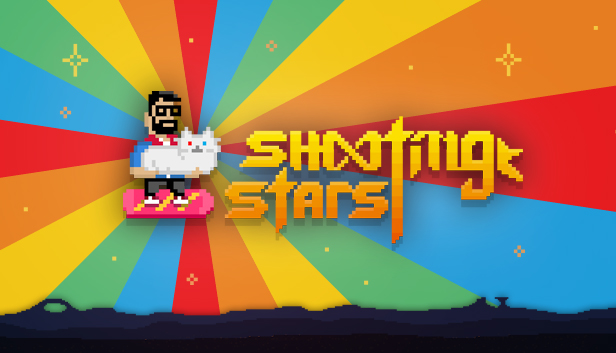
This game is the answer to one of the most important questions in life: “I can haz lazer kitty?“ Yes you can!
Shooting Stars is a refreshing colorful and funny take on the classic arcade shoot'em up, bullet hell, shmup, space invader like, whatever you want to call it – but finally, with evil aliens disguised as superstars, cats and rainbow lazers. Superstars like Justin Belieber, PewDerPie, Kanye East, Han so low and many more.
Did you just say rainbow lazers? Yes! Rainbow freakin’ lazers!
Shooting Stars has over 50 stunning ultimate weapons and items to collect. Every item will completely change the way you play. Don’t be afraid to use attacks like Clone Warriors, Freedom Sheeps, a Ro-Cat launcher, the Disco of Doom and so much more. Every game you play will be completely different. And the best part is, pay once – play forever!
Save planet earth in various game modes. Challenge your friends with daily generated levels or go at it alone in the rogue like Card Hunt mode. Shooting Stars is the complete package of quirky internet awesomeness and shoot‘em up retro feeling.
Key Features:
Over 20 “celebrity” bosses and 16 beautiful collectible cards.
Challenge your friends in a global and daily highscore battle.
Collect up to 50 amazing ultimate attacks and superfoods.
Two different game modes.
Weird and funny satire on pop culture.
Every game will be totally different.
Ride a freakin’ hoverboard.
Rainbow Unicorn Approved.
windows Minimum
OS: Windows Vista SP2
Processor: 2 GHz Dual Core CPU
Memory: 4 GB RAM
Graphics: NVIDIA GeForce 8600 GS, AMD Radeon HD 4290 or newer
Storage: 120 MB available space
Sound card: DirectX 9.0c Compatible Sound Card with Latest Drivers
windows Recommended
OS: Windows 7, 8, 10
Processor: Multi Core Processor with 2,5 GHz or more
Memory: 6 GB RAM
Graphics: NVIDIA GeForce 8600 GT, AMD Radeon HD 4550 or newer
Storage: 120 MB available space
Sound card: DirectX 9.0c Compatible Sound Card with Latest Drivers
To activate the game, you need a Steam Account
Login or register at the official Steam Website and download Steam client
Install and start application, login with your Account name and Password
Click the Games Menu.
Choose Activate a Product on Steam...
Follow the onscreen instructions to complete the process
After the successful code verification, go to the "MY GAMES" tab and start downloading.
News & Updates
2026-06-11
Celebrate FIFA World Cup 2026 with YUPLAY
The FIFA World Cup 2026 is coming in hot this summer and while these coming weeks it is all going to be centered around the best game in the world of sports, we decided to bring you a dedicated YUPLAY giveaway to commemorate the occasion together! This promotional giveaway campaign invites all of our followers to try and predict the exact final scores of selected matches from the World Cup…
First V-Bucks, Now Steam Decks: Why Gaming is Getting More Expensive
Has gaming been steadily becoming more and more expensive lately? In the past months and quarters there has definitely been an increase in pricing in both the software and hardware departments of gaming and this trend has definitely stricken the market in more than a couple of ways. The industry has experienced a trend of gaming price increases as well as more expensive subscriptions…