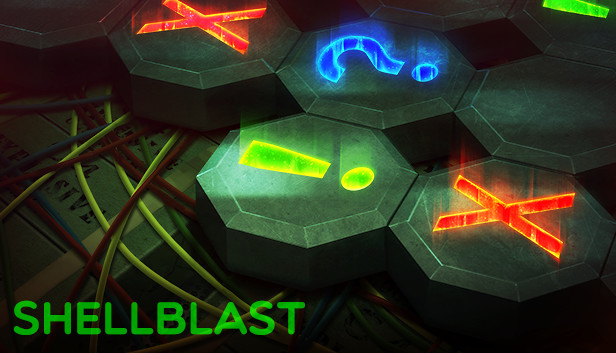
Described as a cross between Minesweeper and Picross, ShellBlast is an action packed puzzler where you travel the globe to defuse bombs before they explode.
Game Features Include
Classic Mode- Play the fifty-level campaign as you tour the world defusing bombs. From prank bombs to nuclear superweapons, this mode will give you the grand tour of what ShellBlast is all about.
Simulation Chamber- Choose from eighteen empty bomb shells and fill it to your specifications. Want a massive Biological bomb with a short timer? Or a small Oxidation bomb with plenty of extra helper tools like Chaff Grenades? Go for it!
Blast Editor- Build your own bomb from scratch using the editor or play custom levels built by others. Create the ultimate superweapon!
Endurance Mode- Take on this massive bomb one layer at a time. How many quadrants can you unlock?
Shell-Drop- A unique randomly generated bomb mode that puts you to the ultimate test. Can you beat the top ranking bomb solvers?
Puzzled- Take on the bomb from another angle…this time, using preset grids and an unlimited timer. Only true masterminds can solve the harder challenges…
Nuke- Team up with another agent working on the field to tackle one of the hardest bombs in the game!
NOTE: This is a Legacy release of Vertigo Gaming Inc.'s back catalog titles. Because it is an older game running on newer hardware there may be some unexpected errors. Here's how to solve them:
If you have an error of "Failed to load the game data, File seems corrupted.", you will need to disable the Print Spooler on your computer, as older GM8 games can have this issue. First, right click on This PC or My Computer and select Manage. Select Services and Applications on the left side bar and then select Services. Double click the "Print Spooler" key and go to the General tab, select Startup Type, then select Disabled. Finally, select Stop below the Service Status and then click Apply. The game should now boot up correctly.
If the game does not close properly and continues to run on Steam even after exiting the game, you will need to run it in compatibility mode to resolve this issue. Right click the game in your Steam Library, go to Properties, then Local Files, then Browse Local Files. Right click on the main .exe in the folder, and go to Properties. Click on the Compatibility tab, then click the "Run this program in compatibility mode for:" box and select Windows XP, then Apply and OK. Restart your computer, and the game will now correctly close after exiting.
windows Minimum
OS: Windows XP or Higher
Memory: 250 MB RAM
Storage: 50 MB available space
To activate the game, you need a Steam Account
Login or register at the official Steam Website and download Steam client
Install and start application, login with your Account name and Password
Click the Games Menu.
Choose Activate a Product on Steam...
Follow the onscreen instructions to complete the process
After the successful code verification, go to the "MY GAMES" tab and start downloading.
News & Updates
2026-03-16
Celebrate the Spring by Draining Yuplay’s Profit
Spring time always comes with a sense of freshness and revitalization, so we decided to take a risk make a special storewide promotion that would absolutely kill our profit (and probably get our boss angry). All you have to do to participate is make an order of at least 20€ between 17.03.2026 15:00 CET and 23.03.2026 15:00 CET, and you will get a FREE game coming straight out of our pockets…
Even though Friday the 13th is widely considered as an unlucky date, we at YUPLAY are trying to flip the script for that and turn it into a lucky day for you and this time is not an exception to the rule! We are delighted to announce our FRIDAY 13TH promo and you should absolutely read on the article in order to find out how to best take advantage of this campaign and turn your luck in the right direction for the occasion…