This content requires the base game in order to play:Sengoku Dynasty
Game Description
System Requirements
Activation Details
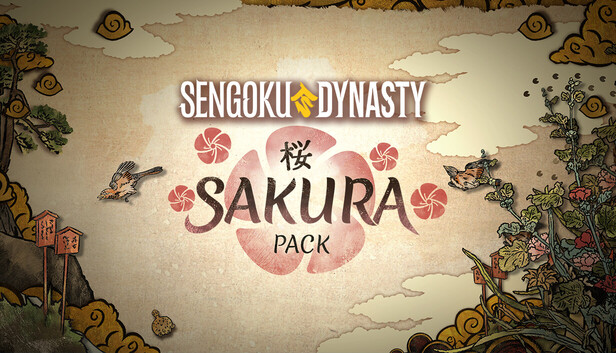
The petals have fallen, and with them comes a new era of beauty and strength. The Sakura DLC brings a wealth of cosmetic content to your feudal Japan in Sengoku Dynasty. It includes fearsome masks, finely crafted weapons, elegant clothing, and banners worthy of a true Daimyo.
Menpō Masks
Strike terror into the hearts of your enemies or simply look the part. Three haunting new Menpō face masks let you forge your warrior identity:
White Bloodbath — Cold as the snow.
Green Fire — Wild as the forest.
Red Water — Fierce as the tide.
Porcelain Weapon Set
Wage war in unmistakable style. The full Porcelain weapon set brings a delicate yet deadly aesthetic to every weapon in your arsenal, spanning the full bandwidth of Japanese arms:
Kanabo
Bow
Spear
Tanto
Katana
Naginata
Otsuchi
Light Samurai Clothing Set
The Light Samurai clothing set is available in both female and male variants, designed for warriors who demand both freedom of movement as well as commanding presence on the battlefield and in the village alike.
Banners
Mark your territory! The Sakura DLC delivers an expansive banner system to bring your settlements and strongholds to life:
2 stand sizes: from modest post to towering proclamation.
4 stand ornaments: each available in 2 sizes and 2 color variants.
2 banner shapes: each in 2 sizes.
31 unique banner variants: to mix, match, and make your mark across Nata Valley.
Note: The Sakura DLC is purely cosmetic and does not affect gameplay progression. Requires the base game Sengoku Dynasty.
windows Minimum
OS: Windows 10 (x64)
Processor: Intel Core i5-8400, AMD Ryzen 5 2600
Memory: 12 GB RAM
Graphics: NVIDIA GeForce GTX 1650, 4 GB or AMD Radeon RX 570, 4 GB or Intel Arc A750, 8 GB
Storage: 15 GB available space
Directx: Version 12
Additional notes: Low 720p @ 30 FPS
windows Recommended
OS: Windows 10 (x64)
Processor: Intel Core i5-12600K or AMD Ryzen 5 7600X
Login or register at the official Steam Website and download Steam client
Install and start application, login with your Account name and Password
Click the Games Menu.
Choose Activate a Product on Steam...
Follow the onscreen instructions to complete the process
After the successful code verification, go to the "MY GAMES" tab and start downloading.
News & Updates
2026-06-02
Monthly Recap - May Edition
For this month’s YUPLAY recap we have prepared some very interesting news pieces about upcoming updates, premiers and exclusive news in the world of video games. Be sure to check out the fine selections of short stories including new Warhammer 40K Dawn of War game and yet another Civilization VII update, as we go through what really shaped up as a very fruitful month for the gaming industry…
Beyond the Main Story: The Best Things to Do in GTA 6
Welcome back to Vice City! Ready to ride through the streets with us and go sightseeing in the most anticipated GTA game to date? Finally, after a more than a couple of delays, there has even been a confirmed GTA 6 release date that should absolutely be included in the article, and that would be 19.11.26. Put on your best drip and hop in the YUPLAY review wagon with us and let’s begin the tour immediately…