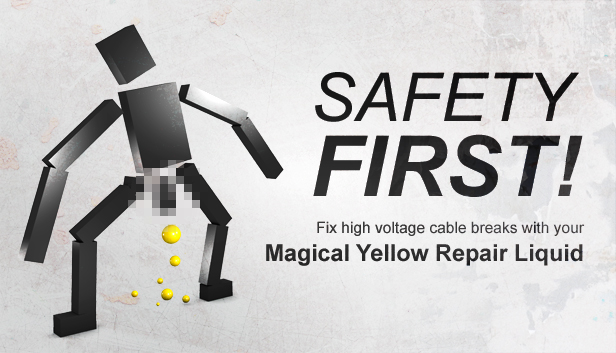
Safety First! is a twin stick physics puzzler in which you have to fix broken electric wires using your Magical Yellow Repair Liquid (MYRL). Get ready for a challenging journey through a variety of gameplay mechanics and hilarious sound design. Can you beat all 69 levels?
Your grandma turned her vintage radio up too much and caused lots of cables to break in the nearby power plant. With your awesome electrician skills you embark on a mission to fix all those broken wires employing your Magical Yellow Repair Liquid. Get ready for a challenging and physically totally accurate journey!
Control your characters feet using the thumb sticks of your gamepad. Be warned though, he's quite fragile. Deploy Magical Yellow Repair Liquid where necessary so your grandma can enjoy her favorite tune again*.
*For your convenience we included "Grandmas favorite tune" in the credits scroller
Totally awesome features in 69(!) levels throughout 3 campaigns:
Classic campaign with 30 levels
Advanced campaign with another even weirder 32 levels. Looking for some gameplay variation? Try this mode: You can only lift one foot at a time. One foot stays on the ground.
Space (yes, Space!) campaign: A couple of more levels with zero gravity
Tons of (well, three) play modes:
NRML: default game mode
PEP: everything is faster, flashing light, faster music
DRNK: world rocks back and forth, rock music, alternate voice audio ("German Sch**sse Mode!"), brown Myrlballs
Fun to fail, quick to retry!
And for Heaven's sake, please play with a dual analog stick gamepad!
What else?
Interact with various physics driven objects
Immersive sound effects and voice acting
Interactive soundtrack that constantly changes
Entertaining to watch and listen to. You will tell your grandkids about it someday.
windows Minimum
OS: Windows 7/8/10
Memory: 2 GB RAM
Storage: 150 MB available space
windows Recommended
OS: Windows 7/8/10
Memory: 2 GB RAM
Storage: 150 MB available space
To activate the game, you need a Steam Account
Login or register at the official Steam Website and download Steam client
Install and start application, login with your Account name and Password
Click the Games Menu.
Choose Activate a Product on Steam...
Follow the onscreen instructions to complete the process
After the successful code verification, go to the "MY GAMES" tab and start downloading.
News & Updates
2026-06-11
Celebrate FIFA World Cup 2026 with YUPLAY
The FIFA World Cup 2026 is coming in hot this summer and while these coming weeks it is all going to be centered around the best game in the world of sports, we decided to bring you a dedicated YUPLAY giveaway to commemorate the occasion together! This promotional giveaway campaign invites all of our followers to try and predict the exact final scores of selected matches from the World Cup…
First V-Bucks, Now Steam Decks: Why Gaming is Getting More Expensive
Has gaming been steadily becoming more and more expensive lately? In the past months and quarters there has definitely been an increase in pricing in both the software and hardware departments of gaming and this trend has definitely stricken the market in more than a couple of ways. The industry has experienced a trend of gaming price increases as well as more expensive subscriptions…