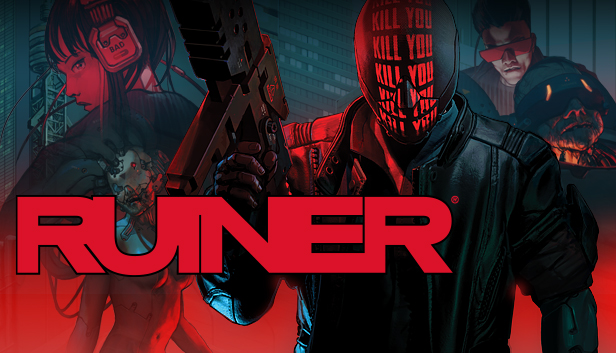
RUINER is a brutal action shooter set in the year 2091 in the cyber metropolis Rengkok. A wired psychopath lashes out against a corrupt system to uncover the truth and retrieve his kidnapped brother under the guidance of a secretive hacker friend. Combine preternatural reflexes, augmented tools, and the arsenal of fallen foes to tear down and dismantle the corporate titans of virtuality dealers at HEAVEN.
Sophisticated & Brutal Combat: RUINER features lightning fast combat that requires a delicate balance of overwhelming, brute force, and elegant strikes to overcome all manner of savage opponents. Blast through crowds or slow down time and hand select your points of attack before unleashing a storm of violence on the battlefield.
Cyberpunk Inspired Arsenal: Equip all manner of high-tech firearms and melee weapons to ruin all that oppose you. Employ state of the art gadgets like energy shield, dash augmentations, and the switch gun stun or hack the opposition onto your side of the fight.
Story-Driven Action: Violent confrontation is a means to an end and trust is a devalued currency in Rengkok as you navigate a senseless world with the help of a mysterious hacker friend.
Exceptional Soundtrack: Explore and battle to the intense beats of Sidewalks & Skeletons, Zamilska, Antigone & Francois X, DJ Alina and famed anime composer Susumu Hirasawa (Paprika, Millennium Actress).
about Reikon
Reikon is an independent studio located in Warsaw founded in 2014 by four veteran game designers whose work includes the Witcher series, Dying Light, This War of Mine and Shadow Warrior. RUINER is their debut project as a studio and has been quietly in production since January 2015.
Warning: A very small percentage of individuals may experience epileptic seizures when exposed to certain light patterns or flashing lights.
Copyright 2016 Reikon Games. All Rights Reserved.
windows Minimum
OS: Windows 7/8.1/10 x64
Processor: Intel Core i5-760 (4 * 2800) or equivalent / AMD Athlon II X4 645 AM3 (4 * 3100) or equivalent
Login or register at the official Steam Website and download Steam client
Install and start application, login with your Account name and Password
Click the Games Menu.
Choose Activate a Product on Steam...
Follow the onscreen instructions to complete the process
After the successful code verification, go to the "MY GAMES" tab and start downloading.
News & Updates
2026-10-23
BOO! Giveaway - Win a Game of Your Choice
Make a purchase of any amount between 23.10.2026 15:00 CET and 28.10.2026 15:00 CET, submit your Order ID in our Gleam and get a chance to win a FREE GAME (up to 50€).…
This game does not default to external Bluetooth/USB controllers on Deck, and may require manually switching the active controller via the Quick Access Menu
All functionality is accessible when using the default controller configuration
This game shows Steam Deck controller icons
In-game interface text is legible on Steam Deck
This game's default graphics configuration performs well on Steam Deck