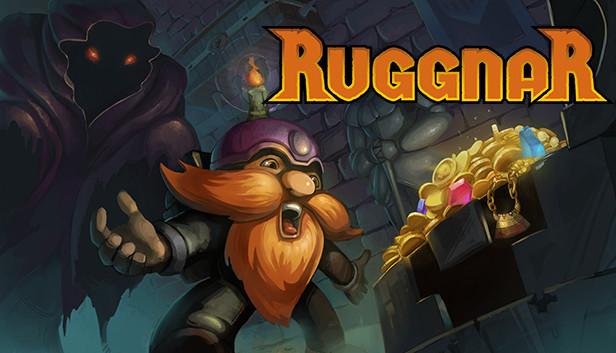
As the veins of his city are depleted and the valley is deserted of its inhabitants, rumors of taverns come to Ruggnar's ears. Abandoned places contain incredible treasures that are just waiting to be picked up.
Equipped with his bag and a few candles, he goes on an adventure to make his fortune!
Really useful candles!
Ruggnar has a limited amount of candles to help him in these dark places. Help him to manage his supply.
Seeing the path ahead of you, activating certain mechanisms or simply lighting up: it's up to you to find the perfect use for each candle!
And if you throw one, remember to pick it up. It might come in useful soon!
Sneaky traps!
There are no enemies to kill here, but many traps are in your way.
Hidden by the darkness, you may find yourself face to face with an axe, a fireball or other nasty things.
Don't worry, move carefully, use your candles and everything will be fine. After all, Ruggnar is very agile for a dwarf and he gets up quite easily after an accident.
Observe your surroundings, listen to the noises around you, throw your candles. The traps are there. It's up to you to avoid them!
Customize Ruggnar!
Throughout your journey, unlock new abilities.
Visit the merchant to learn the secrets contained in ancient grimoires to improve your candles and equipment, or to buy the latest items in stock.
Need a change? Many beard dyes, armors and helmets are hidden. Find them and create your own style!
And much more!
Explore every corner with smooth controls;
Hand-forged story mode;
Procedural generation to extend the experience;
Discover the story behind this humorous adventure;
Pierre-Alain de Garrigues (PADG, french voice of Kled in LoL, the Innkeeper in Hearthstone, Muradin in Heroes of the Storm and many other video game characters) and Jordan Harrelson (My Time at Portia, Edge of Eternity) lend their talents to Ruggnar so he can swear louder and louder!
Graphics: OpenGL 3.0 (DirectX® 10) compliant graphics card and driver
Storage: 600 MB available space
Directx: Version 10
To activate the game, you need a Steam Account
Login or register at the official Steam Website and download Steam client
Install and start application, login with your Account name and Password
Click the Games Menu.
Choose Activate a Product on Steam...
Follow the onscreen instructions to complete the process
After the successful code verification, go to the "MY GAMES" tab and start downloading.
News & Updates
2026-03-30
Join the Easter Raid Party and Win a Free Game
The Easter season is here and since we like this part of the year so much, we have made sure to have prepared a special YUPLAY promotional campaign for those of you that are ready to go into the Raid Party and grab a FREE gaming title. All you have to do is make an order above 20€ between 02.04.2026 15:00 CET and 08.04.2026 15:00 CET, and you will get a FREE game as ab Easter present from us…
Early Spring season has definitely delivered on some exciting updates, game announcements, and promising releases to be on the lookout for until the end of this year. So, let’s immediately have a better look at some of the more outstanding news that happened on the gaming scene during the month of March 2026 that we decided to cover for you…