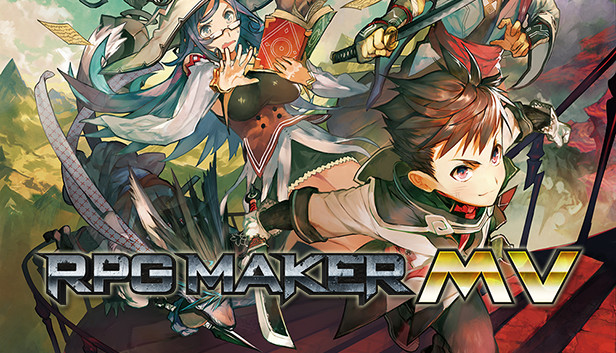
POWERFUL enough for a developer SIMPLE enough for a child VERSATILE enough for any platform!
For years, RPG Maker has been the easiest way to make your own Windows PC Roleplaying game. We have strived to give everyone, regardless of experience or skill level, the tools to make a game they could be proud of. Now, with RPG Maker MV, your game isn't just on Windows PC, its on the move. Make your game on your Windows or OS X PC, and then deploy it for iOS, Android, Windows, OS X, or even to play in a browser using HTML5!
MAKE GAMES FOR THE PLATFORMS YOU WANT FROM ANY PC
RPG Maker MV can run on both Windows and Mac OS X PCs. Users can also export games for the following platforms:
Windows/EXE
MacOSX/APP
Android/APK
iOS/IPA
HTML 5 for Web Browsers
BUILD YOUR WORLD WITH AN IMPROVED MAP EDITOR
RPG Maker MV uses a user-friendly map system to help you build the RPG world of your dreams. With an additional automated upper layer, mapping in MV is even easier than before.
MAKE YOUR WORLD LIVE WITH A SIMPLE EVENT SYSTEM
In RPG Maker MV, you use the simple, intuitive event system to bring your world to life. You can easily and quickly create NPCs for your characters to interact with, puzzles for them to solve, and quests for them to complete.
GET STARTED IMMEDIATELY WITH BUILT-IN RESOURCES
RPG Maker MV, like previous RPG Makers, comes with its own graphic and audio resources for you to use in your game. From sprites to battlers, from sound effects to music. MV comes with resources for both Fantasy and Sci-fi games, and you are easily able to add more.
USE TWO DIFFERENT BATTLE MODES, RIGHT OUT OF THE BOX
With a tick of a checkbox, you can switch between the classic Front View Battle to a Side View Battle system.
USE A MOUSE OR TOUCH SCREEN TO PLAY YOUR GAMES
Tired of playing RPG Maker games with your keyboard? With RPG Maker MV, your game will allow the player to play the game with a flick of their mouse, or using a touch screen.
SEE YOUR GAME IN HIGHER RESOLUTION
RPG Maker MV can show more than ever before. With a default 1.5x the resolution, sprites can show more emotion and the scenery can be more detailed than ever before.
USE PLUGINS TO MAKE A FULLY CUSTOMIZED GAME
Want to customize your game even FURTHER? Use plugins to change things the way YOU want them. You can get them from us, get them from other fans, or master JavaScript to make your own! With our new plugin manager, you can just drop in the .js file of a plugin, and then configure it directly in the editor.
Graphics: OpenGL ES 2.0 hardware driver support required for WebGL acceleration. (AMD Catalyst 10.9, nVidia 358.50), iOS 8.0, Android 4.4.4*
macosx Minimum
Processor: Intel Core2 Duo or better
Memory: 4 GB RAM
Graphics: Compatible OpenGLR
Storage: 2 GB available space
Additional notes: 1280x768 or better Display
To activate the game, you need a Steam Account
Login or register at the official Steam Website and download Steam client
Install and start application, login with your Account name and Password
Click the Games Menu.
Choose Activate a Product on Steam...
Follow the onscreen instructions to complete the process
After the successful code verification, go to the "MY GAMES" tab and start downloading.
News & Updates
2026-03-30
Join the Easter Raid Party and Win a Free Game
The Easter season is here and since we like this part of the year so much, we have made sure to have prepared a special YUPLAY promotional campaign for those of you that are ready to go into the Raid Party and grab a FREE gaming title. All you have to do is make an order above 20€ between 02.04.2026 15:00 CET and 08.04.2026 15:00 CET, and you will get a FREE game as ab Easter present from us…
Early Spring season has definitely delivered on some exciting updates, game announcements, and promising releases to be on the lookout for until the end of this year. So, let’s immediately have a better look at some of the more outstanding news that happened on the gaming scene during the month of March 2026 that we decided to cover for you…