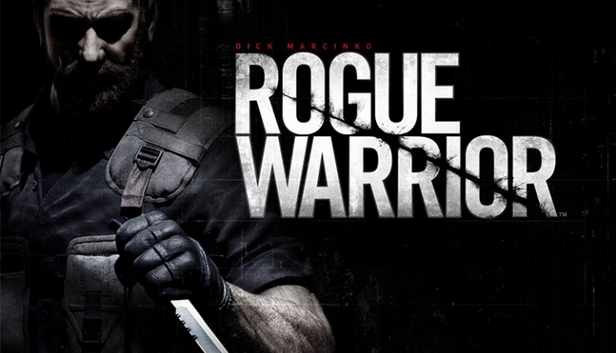
Rogue Warrior is a character-driven, first-person-shooter, featuring Richard 'Demo Dick' Marcinko's explosive personality in an action-packed single player campaign, and intense multiplayer combat.
Playing as Richard 'Demo Dick' Marcinko, you go behind the iron curtain to disrupt a suspected North Korean ballistic missile program. Soon into the mission, you uncover a conspiracy that could turn the tides of the Cold War in the communists' favor. You must then take the mission into your own hands as you enter into the bowels of the USSR to destroy a technology that could change the balance of geopolitical power, leaving a trail of destruction in your wake!
Play as a Real Life Legend - Play as Richard "Demo Dick" Marcinko — a real-life American badass. His defiant, crude, and sometimes ruthless behavior has earned him both glory and infamy in the history books. Now you take on his explosive nature as you engage in black ops and go against the rules of conventional warfare to get the job done.
Brutal Kills - With more than 25 uniquely brutal kill moves, do what it takes to take out the enemy. No trick is too dirty as you maintain the element of surprise whenever possible - find and kill the enemy before they find you.
Targets of Opportunity - Be an instrument of destruction as you create tactical advantages by eliminating any and all targets that would otherwise benefit the enemy.
Multiplayer Mode - Go head to head against others online and even perform brutal kill moves on your friends.
Award-winning Talent - Golden Globe winner and Oscar nominee Mickey Rourke voices Dick Marcinko's in-game character.
Processor: 3.4 GHz Intel Pentium 4 or equivalent processor
Memory: 1 GB RAM (XP)/ 2 GB RAM (Vista)
Graphics: DirectX 9.0c compliant video card with 256 MB RAM (NVIDIA 7900 or better, ATI X1800 or better)
windows Recommended
OS: Windows XP/Vista
Processor: Intel Core 2 Duo E6400 or equivalent processor
Memory: 2 GB RAM
Graphics: DirectX 9.0c compliant video card with 512 MB RAM (NVIDIA 8800 series, ATI HD2900 PRO or better)
To activate the game, you need a Steam Account
Login or register at the official Steam Website and download Steam client
Install and start application, login with your Account name and Password
Click the Games Menu.
Choose Activate a Product on Steam...
Follow the onscreen instructions to complete the process
After the successful code verification, go to the "MY GAMES" tab and start downloading.
News & Updates
2026-07-20
Our Way of Saying Thank You
Great games are nothing without loyal gamers and we're grateful to have such an amazing community that supports our store. That’s why we’re launching our special “YUPLAY Is Feeling Generous” campaign as a way of saying “Thank you”. During this campaign, with every order over €30 you will receive a free 10% discount code that can be used during your next purchase…
The FIFA World Cup 2026 is coming in hot this summer and while these coming weeks it is all going to be centered around the best game in the world of sports, we decided to bring you a dedicated YUPLAY giveaway to commemorate the occasion together! This promotional giveaway campaign invites all of our followers to try and predict the exact final scores of selected matches from the World Cup…
Some functionality is not accessible when using the default controller configuration, requiring use of the touchscreen or virtual keyboard, or a community configuration
This game sometimes shows mouse, keyboard, or non-Steam-Deck controller icons
This game does not default to external Bluetooth/USB controllers on Deck, and may require manually switching the active controller via the Quick Access Menu
In-game interface text is legible on Steam Deck
This game's default graphics configuration performs well on Steam Deck