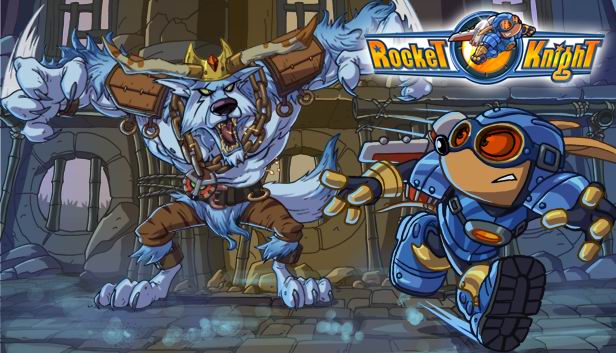
Sparkster makes his triumphant arrival on next-gen platforms with Rocket Knight, the newest chapter in the classic side-scrolling rocket action series. Our favorite opossum hero returns home after 15 years to find the kingdom of Zephyrus in shambles. Use your wits and Sparkster’s trusty rocket pack to dodge and defeat a menacing wolf army threatening the lives of his people.
Gorgeous next-gen graphics and dazzling new environments. You’ve never seen Sparkster like this before!
All new levels and challenges. Four expansive new worlds with huge platform levels and thrilling rocket flying levels!
Classic rocket action gameplay. Launch and bounce Sparkster through obstacles and enemies that get in his way!
Ricochet off walls
Create a Burst Vortex to repel enemy bombs right back at them!
Use Burst Assist and hover in place to maneuver in mid-air
Shoot Burst Projectiles from Sparkster's sword to attack distant foes
Rocket Drill through weak walls and create new passageways
Hang from and slide down rails with your prehensile tail
Who’s the best? Show off your high scores with Leaderboards
Graphics: ATI X1900 or above, GeForce 6800 and above
windows Recommended
OS: Microsoft(r) Windows(r) XP SP2 / Vista / 7
Processor: 2.8GHz single core or equivalent
Memory: 2 GB RAM
Graphics: GeForce 8800, ATI Radeon HD4850 or above
To activate the game, you need a Steam Account
Login or register at the official Steam Website and download Steam client
Install and start application, login with your Account name and Password
Click the Games Menu.
Choose Activate a Product on Steam...
Follow the onscreen instructions to complete the process
After the successful code verification, go to the "MY GAMES" tab and start downloading.
News & Updates
2026-10-23
BOO! Giveaway - Win a Game of Your Choice
Make a purchase of any amount between 23.10.2026 15:00 CET and 28.10.2026 15:00 CET, submit your Order ID in our Gleam and get a chance to win a FREE GAME (up to 50€).…
This game's launcher/setup tool may require the touchscreen or virtual keyboard, or have difficult to read text
This game sometimes shows mouse, keyboard, or non-Steam-Deck controller icons
This game does not default to external Bluetooth/USB controllers on Deck, and may require manually switching the active controller via the Quick Access Menu
All functionality is accessible when using the default controller configuration
In-game interface text is legible on Steam Deck
This game's default graphics configuration performs well on Steam Deck