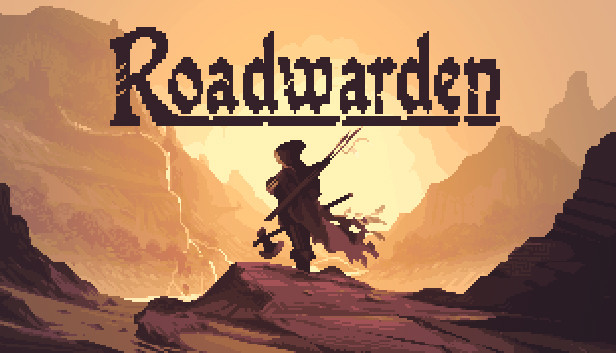
A brave stranger putting your life on the line to make a difference in this grim fantasy world. While most people would never risk a solitary journey through the wilder parts of the land, you willingly accept the struggle. You guard travellers, connect isolated villages, support merchants, and repel attacking creatures, bandits, or even undead.
TAKE THE PLUNGE
A powerful merchant guild has called on your services, sending you on a journey into the unknown planes of a mysterious peninsula in the hopes to expand the guild’s influence even further. Explore this world and gather as much information as possible to reveal the secrets surrounding the area. It’s a dangerous task, but an equally respectable one.
READY YOUR ARMORY
Roadwarden is an illustrated text-based RPG that uses isometric pixel art and combines mechanics borrowed from RPGs, Visual Novels, adventure games, and interactive fiction, such as inventory puzzles, dialogue choices, character abilities and progression, hit points. simple survival mechanics. or quests restricted by in-game time.
FEATURES
Face the vast challenges of a hostile fantasy world in the 30-hour story-campaign
Create your own background, abilities, beliefs, and personality
Embark either as a warrior, mage, or scholar and define your character‘s attitudes
Immerse yourself in profound dialogues and sidequests with dozens of NPCs
Collect hints and investigate the true nature of this world
Copyright Assemble Entertainment GmbH 2022 - all rights reserved!
windows Minimum
OS: Windows 10/7/8/8.1/XP/Vista (32 or 64 bit)
Processor: 2.4ghz Intel Core 2 Duo or equivalent
Memory: 2 GB RAM
Graphics: Nvidia 260 GTS or Radeon HD 4850 - 512 MB of VRAM or equivalent
Storage: 2 GB available space
windows Recommended
OS: Windows 10/7/8/8.1 (64bit)
Processor: 2.66GHz Intel Core i7
Memory: 4 GB RAM
Graphics: Nvidia 460 GTX / Radeon 5770 - 1 GB of VRAM or equivalent
Storage: 2 GB available space
To activate the game, you need a Steam Account
Login or register at the official Steam Website and download Steam client
Install and start application, login with your Account name and Password
Click the Games Menu.
Choose Activate a Product on Steam...
Follow the onscreen instructions to complete the process
After the successful code verification, go to the "MY GAMES" tab and start downloading.
News & Updates
2026-06-11
Celebrate FIFA World Cup 2026 with YUPLAY
The FIFA World Cup 2026 is coming in hot this summer and while these coming weeks it is all going to be centered around the best game in the world of sports, we decided to bring you a dedicated YUPLAY giveaway to commemorate the occasion together! This promotional giveaway campaign invites all of our followers to try and predict the exact final scores of selected matches from the World Cup…
First V-Bucks, Now Steam Decks: Why Gaming is Getting More Expensive
Has gaming been steadily becoming more and more expensive lately? In the past months and quarters there has definitely been an increase in pricing in both the software and hardware departments of gaming and this trend has definitely stricken the market in more than a couple of ways. The industry has experienced a trend of gaming price increases as well as more expensive subscriptions…
Some functionality is not accessible when using the default controller configuration, requiring use of the touchscreen or virtual keyboard, or a community configuration
This game sometimes shows mouse, keyboard, or non-Steam-Deck controller icons
In-game interface text is legible on Steam Deck
This game's default graphics configuration performs well on Steam Deck