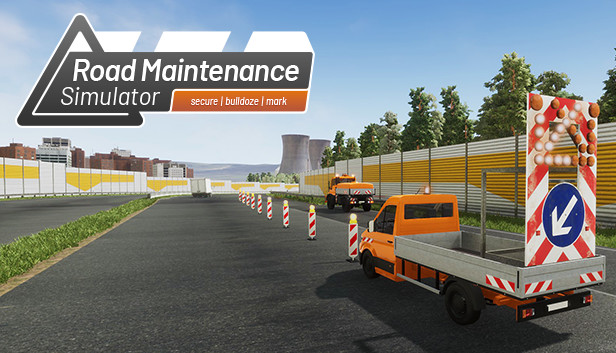
Experience the everyday life in a German street maintenance service and complete a variety of realistic tasks in the area of road construction and maintenance! For your work you will have unique vehicles and various usable tools at your disposal.
Missions
Numerous tasks await you! In Street maintenance service, 30 extensive missions await you in a freely navigable road network. Complete a variety of exciting tasks in your daily work, including placing road markings, removing safety barriers, trimming trees, cleaning roadsides, installing traffic signs, crash barriers and delineators, and, of course, repairing roads.
Vehicle
Choose from a variety of vehicles! Drive in unique vehicles such as platform trucks and all-purpose vehicles in a freely drivable road network with highway, main and country road from your work yard to the site and complete your missions with combination roller and tar machine or even on foot!
For your work you have various usable tools and objects at your disposal. Among them are motor vibrators, garbage gripper, cordless screwdrivers, signs, delineators and crash barriers.
Features
30 extensive missions on the highway and main roads
Freely drivable road network with freeway, main and country roads
Walkable depot with fleet of vehicles and material warehouse
More than 8 different road maintenance vehicles, such as bulldozer, all-purpose vehicle, road marking vehicle and dump truck
Realistic tasks such as securing the work area, removing safety barriers, placing road markings, trimming trees, cleaning guard rails, cleaning roadsides, repairing roads, placing traffic signs, placing guard rails, placing delineators and much more
Several objects for securing and completing the missions (from barks to guardrail to vibration dampers)
Processor: Intel(R) Core(TM) i5-7400 CPU @ 3.00GHz (4 CPUs) or comparable
Memory: 16 GB RAM
Graphics: NVidia Geforce 1050 or comparable
Storage: 3500 MB available space
To activate the game, you need a Steam Account
Login or register at the official Steam Website and download Steam client
Install and start application, login with your Account name and Password
Click the Games Menu.
Choose Activate a Product on Steam...
Follow the onscreen instructions to complete the process
After the successful code verification, go to the "MY GAMES" tab and start downloading.
News & Updates
2026-06-11
Celebrate FIFA World Cup 2026 with YUPLAY
The FIFA World Cup 2026 is coming in hot this summer and while these coming weeks it is all going to be centered around the best game in the world of sports, we decided to bring you a dedicated YUPLAY giveaway to commemorate the occasion together! This promotional giveaway campaign invites all of our followers to try and predict the exact final scores of selected matches from the World Cup…
First V-Bucks, Now Steam Decks: Why Gaming is Getting More Expensive
Has gaming been steadily becoming more and more expensive lately? In the past months and quarters there has definitely been an increase in pricing in both the software and hardware departments of gaming and this trend has definitely stricken the market in more than a couple of ways. The industry has experienced a trend of gaming price increases as well as more expensive subscriptions…
Some functionality is not accessible when using the default controller configuration, requiring use of the touchscreen or virtual keyboard, or a community configuration
This game sometimes shows mouse, keyboard, or non-Steam-Deck controller icons
Some in-game text is small and may be difficult to read
This game does not default to external Bluetooth/USB controllers on Deck, and may require manually switching the active controller via the Quick Access Menu
This game's default graphics configuration performs well on Steam Deck