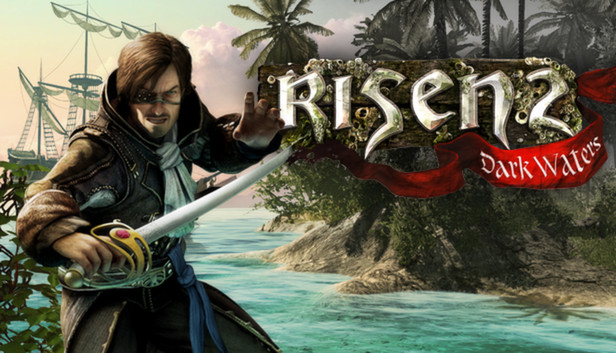
Set several years after the end of Risen, raging titans have devastated the world and pushed humanity to the brink of existence. Subsequently, monstrous creatures have risen from the watery depths of the sea and their attacks have brought all seafaring to a grinding halt. The hero, now a member of the Inquisition, is sent out to find out how to stop the chaos caused by these creatures from the deep. His quest begins with rumors that the pirates who frequent the southern islands are the only ones who know a way to get rid of the creatures once and for all and end their reign of terror.
With an all-new pirate-based theme, Risen 2: Dark Waters aims to combine the most loved classic RPG gameplay mechanics of the original Risen with a fresh theme and setting on a huge variety of themed island locales. A third-person role-playing game set in a dark and gritty universe, Risen 2: Dark Waters maintains the most immersive features of the original Risen, with multiple approaches to every challenge allowing players to shape the game world based on their own decisions. These choices will serve to unlock new paths, features and additional skills for the character. Together with a highly interactive environment and a full day/night-cycle affecting countless aspects of the game world, Risen 2 will be set in the most immersive RPG game world so far.
windows Minimum
OS: Windows XP (with Servicepack 2)
Processor: Dual Core with 2.1 GHz
Memory: 2 GB System RAM
Graphics: 512 MB Radeon 3870 / GeForce 8800 GTX
Storage: 5.5 GB
Directx: 9.1c
Sound card: DirectX compatible soundcard
Additional notes: Keyboard/mouse or gamepad required Internet Connection required for online activation
windows Recommended
OS: Windows XP (with Servicepack 3), Windows Vista (with Servicepack 1), Windows 7
Processor: Dual Core with 3 GHz
Memory: 4 GB System RAM
Graphics: 1024 MB Radeon 4890 / GeForce GTX 260
To activate the game, you need a Steam Account
Login or register at the official Steam Website and download Steam client
Install and start application, login with your Account name and Password
Click the Games Menu.
Choose Activate a Product on Steam...
Follow the onscreen instructions to complete the process
After the successful code verification, go to the "MY GAMES" tab and start downloading.
News & Updates
2026-01-02
Game More, Pay Less: YUPLAY’s New Year Clearance Sale Is Live
Start the new year with unbeatable Steam PC game deals! YUPLAY’s New Year’s Clearance Sale brings massive discounts on top video games - but time is running out. Discover the best offers, limited quantities, and must-have titles before they’re gone.
On the very cusp of 2026, we have prepared the YUPLAY Monthly Recap - December edition to include information about some of the biggest gaming experiences of all time, as well as prominent hits across the year and an announcement of a classic game that would make its return very soon! Ready to close off 2025 with a blast? Let’s deliver on that with a few banging stories that we are certain that you would really like…
Some functionality is not accessible when using the default controller configuration, requiring use of the touchscreen or virtual keyboard, or a community configuration
This game sometimes shows mouse, keyboard, or non-Steam-Deck controller icons
Entering some text requires manually invoking the on-screen keyboard
This game does not default to external Bluetooth/USB controllers on Deck, and may require manually switching the active controller via the Quick Access Menu
In-game interface text is legible on Steam Deck
This game's default graphics configuration performs well on Steam Deck