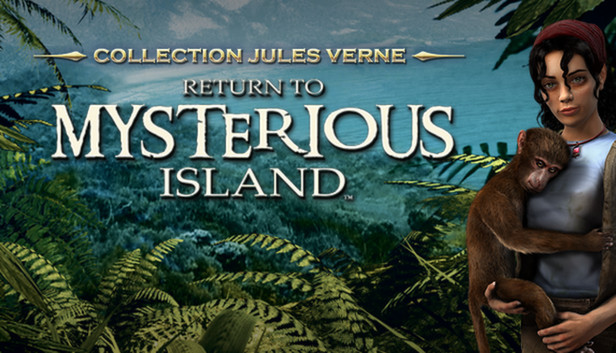
The true essence of adventure is captured in this second PC game inspired by renowned author Jules Verne. In this first-person survival adventure, players will encounter recognisable locations from the famous novel, including the granite house, the volcano and the Nautilus. However, Return to Mysterious Island goes beyond Jules Verne's storytelling as players take on the role of Mina, a courageous young woman on a solo round-the-world sailing expedition.
In your quest for survival using logic, discovery, creative inventory management, and elements of the supernatural, the adventure unfolds across splendid photorealistic pre-rendered vistas. Intuitive puzzle challenges and vast exploration of the lush tropical landscapes of the island, all combine for a brilliantly executed adventure game.
Round-the-world saling expedition... Ship wrecked on a deserted island.. The ghost of Captain Nemo... The quest for survival... Caught in a tremendous storm, Mina, our heroine, becomes stranded on the shores of a wild and apparently uninhabited island. As she explores her new surrounding, she uncovers artifacts, living spaces and technologies left behind by the people who came before her to this uncharted island. Main features
Mass Appeal Theme: "stranded on a desert island"
Survival, exploration, discovery and puzzles, set in a tropical island setting
Original interactive inventory system allows you to combine and create new items and tools
Propriety engine allows for fluid and intuitive point-and-click navigation
Photorealistic settings and numerous recognizable locations to explore: Granit House, the volcano and the Nautilus
Meet and interact with the ghost of Captain Nemo
windows Minimum
OS: Windows XP, Vista, 7, 8
Processor: 1.8 GHz
Memory: 512 MB RAM
Graphics: 3D graphics card compatible with DirectX 7 (compatible with DirectX 9 recommended)
Storage: 2 GB available space
Directx: Version 7.1
Additional notes: 64-bit processors are not supported
To activate the game, you need a Steam Account
Login or register at the official Steam Website and download Steam client
Install and start application, login with your Account name and Password
Click the Games Menu.
Choose Activate a Product on Steam...
Follow the onscreen instructions to complete the process
After the successful code verification, go to the "MY GAMES" tab and start downloading.
News & Updates
2026-06-11
Celebrate FIFA World Cup 2026 with YUPLAY
The FIFA World Cup 2026 is coming in hot this summer and while these coming weeks it is all going to be centered around the best game in the world of sports, we decided to bring you a dedicated YUPLAY giveaway to commemorate the occasion together! This promotional giveaway campaign invites all of our followers to try and predict the exact final scores of selected matches from the World Cup…
First V-Bucks, Now Steam Decks: Why Gaming is Getting More Expensive
Has gaming been steadily becoming more and more expensive lately? In the past months and quarters there has definitely been an increase in pricing in both the software and hardware departments of gaming and this trend has definitely stricken the market in more than a couple of ways. The industry has experienced a trend of gaming price increases as well as more expensive subscriptions…