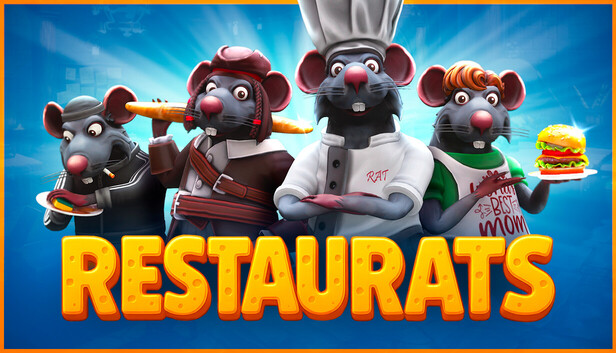
Dress to Impress — even if you’re a rat! With tons of customization options, you can create the weirdest, coolest, or most fabulous rat chef you've ever dreamed of.
Roguelike cooking?!
You heard that right. Each session is a fresh, chaotic adventure packed with crazy dishes, unexpected twists, and outrageous bosses!
Wild Baguette Duels!
Pick up your bread weapon and prove who's boss in the kitchen — or kindly escort the angry guests... with force.
Throw Food Around
Time’s ticking, and the guests are hungry! Dropped it on the floor? Come on — we’re rats, what did you expect?
windows Minimum
OS: Windows 10
Processor: Ryzen 3600 / Intel Core i5-10400
Memory: 8 GB RAM
Graphics: GeForce GTX 1070
Storage: 20 GB available space
Network: Broadband Internet connection
windows Recommended
OS: Windows 11
Processor: Ryzen 5600x / Core i5-12400
Memory: 16 GB RAM
Graphics: GeForce RTX 2060
Storage: 20 GB available space
Network: Broadband Internet connection
To activate the game, you need a Steam Account
Login or register at the official Steam Website and download Steam client
Install and start application, login with your Account name and Password
Click the Games Menu.
Choose Activate a Product on Steam...
Follow the onscreen instructions to complete the process
After the successful code verification, go to the "MY GAMES" tab and start downloading.
News & Updates
2026-10-02
YXP Extra Event: Give Your Next Rank a Boost!
Earn 50 BONUS YXP with every €10+ order! Boost your progress, climb the ranks, and get more from your next purchase during the YXP Extra Event.
Some functionality is not accessible when using the default controller configuration, requiring use of the touchscreen or virtual keyboard, or a community configuration
This game sometimes shows mouse, keyboard, or non-Steam-Deck controller icons
Entering some text requires manually invoking the on-screen keyboard
Some in-game text is small and may be difficult to read
This game requires manual configuration of graphics settings to perform well on Steam Deck