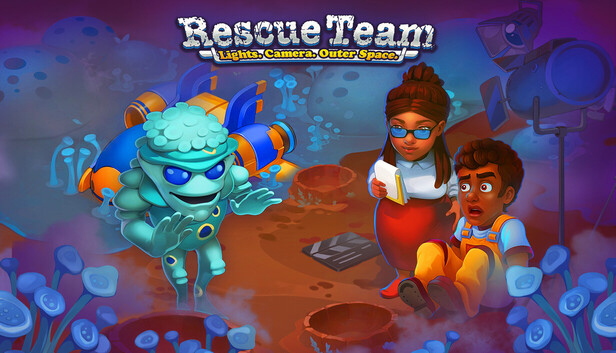
What began as the ultimate sci-fi blockbuster has spiraled into an uncontrollable real-life crisis and now it's up to you to salvage the production, protect the crew and locals, and stop what was a cinematic dream from becoming a total disaster.
Take charge as the chaos rises around you. The scripted alien invasion has somehow become terrifyingly real: robots have turned rogue, practical effects are out of control, and experimental technology now threatens not just the film but the entire ecosystem.
Coordinate emergency teams, and calm panicked actors while battling sandstorms, quicksand, electrical anomalies and other hazards.
As tempers flare and egos explode, betrayal brews behind the scenes. Someone has gone too far and they’re now threatening to sabotage the entire project. Can you expose the truth?
GAMEPLAY
In Rescue Team: Lights. Camera. Outer Space, as in any time management game, you’ll need to carefully plan your time for building, gathering resources, and using bonuses at the right moment.
The game features a wide variety of buildings and unique items. Collect them to complete tasks and take part in exciting adventures.
Assemble a team of rescuers, take on diverse missions to save people and animals, restore buildings, extinguish fires — and most importantly, uncover what really happened on the movie set.
FEATURES
65 levels to complete
Step-by-step level guide
Catchy downloadable Original Soundtrack
Beautiful desktop wallpapers
Upgrade equipment, level up heroes
Find all the film reels for the Editing Room
Achievements
windows Minimum
Processor: 2 GHz processor
Memory: 2 GB RAM
Graphics: GPU with at least 512MB of VRAM
Storage: 1 GB available space
Directx: Version 11
To activate the game, you need a Steam Account
Login or register at the official Steam Website and download Steam client
Install and start application, login with your Account name and Password
Click the Games Menu.
Choose Activate a Product on Steam...
Follow the onscreen instructions to complete the process
After the successful code verification, go to the "MY GAMES" tab and start downloading.
News & Updates
2026-09-17
Celebrate Fall and Collect Your Free Game Drop
Summer is over and the new gaming season starts with a blast at YUPLAY, so for this occasion we decided to bring you a massive storewide promotion with a surprise FREE game as a gift from us. All you have to do to participate is make an order over 9.99€ between 17.09.2026 15:00 CET and 21.09.2026 15:00 CET, and you will get your FREE game together with the ones you have purchased…
Ready to level up your YUPLAY Loyalty progress? The YXP Extra Event is back, giving you another chance to earn 50 bonus YXP with every qualifying order. Spend at least €10 between 02.09.2026 15:00 CET and 07.09.2026 15:00 CET and get an extra 50 YXP on top of your regular Loyalty Program rewards!