This content requires the base game in order to play:Ranch Simulator
Game Description
System Requirements
Activation Details
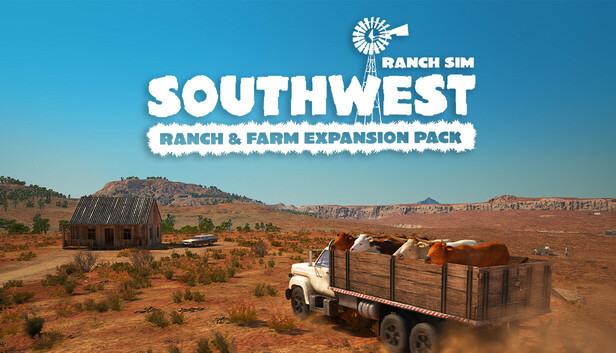
Run multiple ranches across this stunning, expansive new map. Explore the plains and choose your ideal ranch location. Purchase new vehicles and complete exciting new quests. Combine your skills as a rancher and farmer, alone or with your friends to build a successful business in this challenging environment.
Multiplayer, Multi-Plots
With the introduction of multiple ranch plots to choose from, you have even more freedom. Will you and your friends team up as cowhands to focus on one ranch, or split up and run a ranch each?
A New Ranch Venture
If you've mastered the original homestead and yearn for an exciting new wild west challenge, then get ready to begin your Southwest ranching journey! Start from scratch with nothing but a basic car, tools and a little cash, select your desired plot and get ranching! Build pens and barns, care for and breed livestock, hunt wildlife, train and sell horses, produce and sell meat and cheese, farm and harvest crops and grow produce to turn your fledgling start up into a prosperous ranch.
New Map, Vehicles, Predators and Quests!
Along with an expansive new map, the Southwest Ranch & Farm Expansion Pack also includes six new vehicles (station wagon, truck, van, muscle car, sportscar and a tractor), three new predators including pumas, and hunter quests.
Explore the Southwest and you may even find a hidden quest...
Graphics: NVIDIA GeForce GTX 760 or AMD Radeon RX 470
Storage: 15 GB available space
Directx: Version 12
windows Recommended
OS: Windows 10 (64-bit versions only)
Processor: Intel Core i7-4790 or AMD Ryzen 3 3200G
Memory: 12 GB RAM
Graphics: NVIDIA GeForce GTX 1060 6GB / GTX 1660 Super or Radeon RX 590
Storage: 15 GB available space
Directx: Version 12
To activate the game, you need a Steam Account
Login or register at the official Steam Website and download Steam client
Install and start application, login with your Account name and Password
Click the Games Menu.
Choose Activate a Product on Steam...
Follow the onscreen instructions to complete the process
After the successful code verification, go to the "MY GAMES" tab and start downloading.
News & Updates
2026-06-11
Celebrate FIFA World Cup 2026 with YUPLAY
The FIFA World Cup 2026 is coming in hot this summer and while these coming weeks it is all going to be centered around the best game in the world of sports, we decided to bring you a dedicated YUPLAY giveaway to commemorate the occasion together! This promotional giveaway campaign invites all of our followers to try and predict the exact final scores of selected matches from the World Cup…
First V-Bucks, Now Steam Decks: Why Gaming is Getting More Expensive
Has gaming been steadily becoming more and more expensive lately? In the past months and quarters there has definitely been an increase in pricing in both the software and hardware departments of gaming and this trend has definitely stricken the market in more than a couple of ways. The industry has experienced a trend of gaming price increases as well as more expensive subscriptions…