This content requires the base game in order to play:Railway Empire 2
Game Description
System Requirements
Activation Details
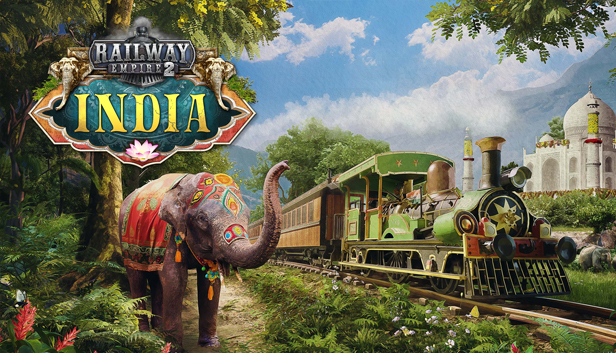
Revel in the abundance of colours and the enchanting landscape: Railway Empire 2 – India whisks you into a gorgeous new era. Discover vast, vibrant plains, roaming elephants and bustling mega-cities, all waiting to be transformed by the blessings of the railroad.
Beginning in the Golden Era of the East India Company, you will help establish a vast railway system within the Indian subcontinent. Should you succeed, your network will become a roaring motor for growth, trade, administration and military control over India. However, a few decades later, the grip of the East India Company is waning. Work together with the British Crown while forging your own path for a prosperous railway infrastructure in the west.
A new look: Railway Empire 2 – India takes players into the vast Indian subcontinent, filled to the brim with exotic and colourful treasures and buzzing mega-cities that wait to be explored.
Steaming Goodness: Utilize 4 new authentic Indian locomotives such as the “Fairy Queen” and the BNR class N, plus 5 imported locomotives that are reimagined to fit the new region.
Bangalore, Calcutta and Bombay: The DLC introduces 3 comprehensive, fully voiced scenarios, “Foreign Regency” (starting 1840), “Karmic Justice” (starting 1854) and “Colours of India” (1865).
Explore & Expand: Plough through the vastness of the Indian countryside with the regional map "India" – playable as one huge map and 4 detailed map sections.
Treasures of India: Transport 16 new regional products from Raw Silk and traditional Naan bread to spiced Chai tea. Some versatile locations will also now allow you to swap between two possible productions, allowing you to further shape how the Indian economy develops.
Sitars & Strings: 20 new themed music tracks and jingles to get you in the mood for the new setting.
Sound card: DirectX compatible sound card with latest drivers
Additional notes: DirectX Version 11 and Shader Model 5.0. SSD recommended
To activate the game, you need a Steam Account
Login or register at the official Steam Website and download Steam client
Install and start application, login with your Account name and Password
Click the Games Menu.
Choose Activate a Product on Steam...
Follow the onscreen instructions to complete the process
After the successful code verification, go to the "MY GAMES" tab and start downloading.
News & Updates
2026-11-20
YUPLAY Lucky 10 Giveaway – 10 Prizes Waiting for You
Win big with YUPLAY! Enter our Gleam Giveaway for a chance to win one of 10 gaming rewards, including 50€ and 30€ games of your choice, YU Coins, and discount codes. The more entries you collect, the better your chances.