This content requires the base game in order to play:Railway Empire 2
Game Description
System Requirements
Activation Details
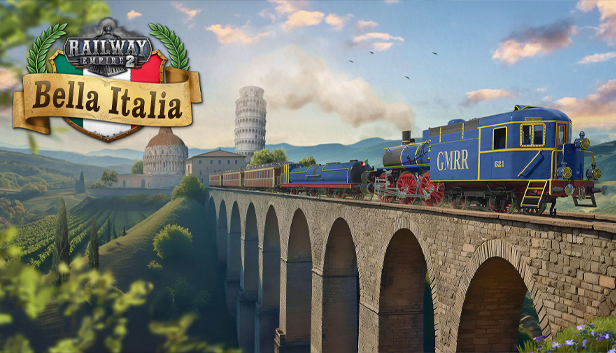
Ciao Bella: From the snow-capped Alps in the north, along the Apennine Mountains, to the sun-soaked Gulf of Taranto, Railway Empire 2 – Bella Italia offers beautiful landscapes and spirited challenges. Uniquely Italian locomotives allow you to steam through any mission, be it economical or more… familial in nature, as you expand your railroad network set against the majestic backdrop of the Colosseum and ancient aqueducts.
Start your railway business in Rome and the Papal State, where waves of tourists await seamless connections to see the wonders of Antiquity. Down south, a different kind of challenge awaits as you discover the many branches of La Famiglia – and work to make yourself a name among them. Meanwhile, the north desperately needs help after a devastating war, with new railways required to fuel its financial recovery.
Bella Italia: With the new Railway Empire 2 DLC, players experience the beauty of Rome, the Tuscan and Umbrian landscape, the relentless sun of Sicily and the magnificence of Milano, tackling various challenges from financial crises to ‘creative’ ways to avoid them.
Classic Chique: Choose from 8 new locomotives such as Mastodonte dei Giovi and Signorine FS Class 640 II.
Rome, Naples and Milano: The DLC introduces 3 comprehensive, fully voiced scenarios with varied approaches: “Bella Roma” (starting in 1850s), “Per la Famiglia” (starting 1870s) and “Milano Magnifico” (1880s).
Buckle down: Explore the Italian countryside on one vast map of all Italy or two highly detailed maps covering northern and southern Italy.
Gourmet Heaven: Transport 22 new regional products from pasta and grappa to the rare white marble.
Dolce Vita: 19 new jingles and tracks will transport you right into the sweet life in Italy.
Sound card: DirectX compatible sound card with latest drivers
Additional notes: DirectX Version 11 and Shader Model 5.0. SSD recommended
To activate the game, you need a Steam Account
Login or register at the official Steam Website and download Steam client
Install and start application, login with your Account name and Password
Click the Games Menu.
Choose Activate a Product on Steam...
Follow the onscreen instructions to complete the process
After the successful code verification, go to the "MY GAMES" tab and start downloading.
News & Updates
2026-10-23
BOO! Giveaway - Win a Game of Your Choice
Make a purchase of any amount between 23.10.2026 15:00 CET and 28.10.2026 15:00 CET, submit your Order ID in our Gleam and get a chance to win a FREE GAME (up to 50€).…