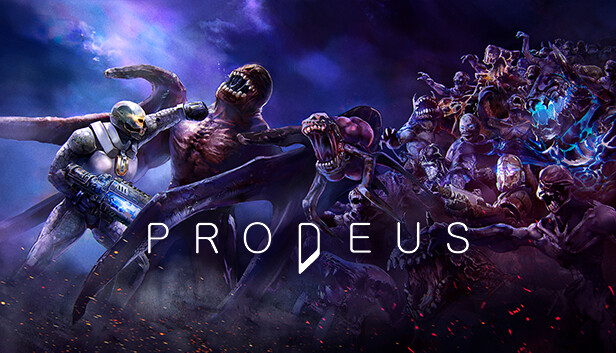
Prodeus is a first-person shooter of old, re-imagined using modern rendering techniques and technology. Experience the quality you’d expect from a modern AAA game, designed with retro aesthetics and gameplay that invoke the tech-imposed limits of older hardware.
The game features a hand-crafted campaign from industry FPS veterans, co-op and competitive multiplayer play drawing on classic modes*, a fully integrated level editor, and a built-in community map browser for instantaneous action with nearly limitless levels to play.
Get ready to paint the walls red. This is the Boomer Shooter you’ve been waiting for.
FEATURES
Retro look, modern era
Shooters past and present collide with graphics that combine today’s high-quality 3D tech with retro visuals. Experience over-the-top explosions of lo-fi pixels and hi-tech particle effects as you clash against the Prodeans and forces of Chaos.
Pure retro FPS chaos
Steel yourself for fast and frantic nonstop action. Blast and blaze your way through hordes of chaos-spawned creatures using an arsenal of classically over-the-top weapons.
Raining red
Splatter the steel walls and alien halls with the blood of your enemies. Experience the gory thrills of the elder shooters, dialed up to 11 thanks to Prodeus’s delightfully demented dismemberment system.
Community-crafted levels
Unleash your inner map designer with Prodeus’s powerful but easy-to-use level editor, and keep the visceral combat fresh with a built-in browser filled with community-created maps.
Multiplayer Mayhem
Team up and go head-to-head in a variety of multiplayer modes. Take on the campaign in 4-player co-op, and dive into the fray in 16-player Deathmatch, Team Deathmatch, CTF, and more—then take things to the next level by creating and sharing custom game modes.
Frag to the Music
Burst blood vessels listening to a supercharged metal soundtrack by retro FPS composer Andrew Hulshult that dynamically changes gears to accompany your actions.
Login or register at the official Steam Website and download Steam client
Install and start application, login with your Account name and Password
Click the Games Menu.
Choose Activate a Product on Steam...
Follow the onscreen instructions to complete the process
After the successful code verification, go to the "MY GAMES" tab and start downloading.
News & Updates
2026-03-16
Celebrate the Spring by Draining Yuplay’s Profit
Spring time always comes with a sense of freshness and revitalization, so we decided to take a risk make a special storewide promotion that would absolutely kill our profit (and probably get our boss angry). All you have to do to participate is make an order of at least 20€ between 17.03.2026 15:00 CET and 23.03.2026 15:00 CET, and you will get a FREE game coming straight out of our pockets…
Even though Friday the 13th is widely considered as an unlucky date, we at YUPLAY are trying to flip the script for that and turn it into a lucky day for you and this time is not an exception to the rule! We are delighted to announce our FRIDAY 13TH promo and you should absolutely read on the article in order to find out how to best take advantage of this campaign and turn your luck in the right direction for the occasion…
Some functionality is not accessible when using the default controller configuration, requiring use of the touchscreen or virtual keyboard, or a community configuration
This game does not default to external Bluetooth/USB controllers on Deck, and may require manually switching the active controller via the Quick Access Menu
This game shows Steam Deck controller icons
In-game interface text is legible on Steam Deck
This game's default graphics configuration performs well on Steam Deck