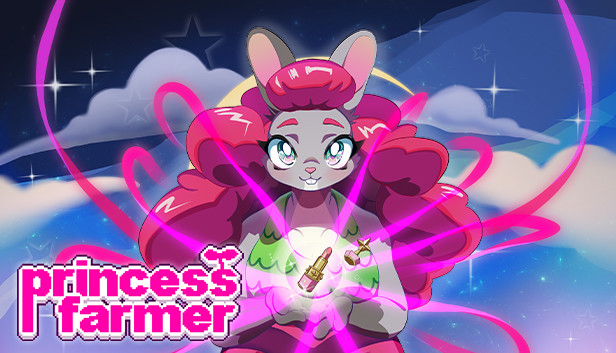
Princess Farmer is a match3 puzzle and visual novel game with easy to learn action mechanics and different playstyles that let you breeze through the game or challenge you. All three of the playstyles earn you rewards! The story is played in episodes, much like magical-girl anime, with each lasting between 20 minutes to 1 hour, depending on your chosen playstyle, your skills, and whether you decide to skip dialogue interactions. Different level goals keep you on your toes and bring a fresh approach to the match3 genre. Dialogue options let you choose how Princess Farmer interacts with her friends, affecting your relationships with them. Make them your BFF and they may reward you with gifts!
Story
Princess Farmer was just an ordinary farmer when one day she woke up under the Gaia Tree. Now through the magic of Mother Gaia, she can hoist up whole rows of veggies with ease to make matches and smash obstacles by herself, in co-op, or even with an AI companion! Something mysterious is happening in the woods and it's your job to puzzle your way to uncover it! You'll learn about the world around you as you talk and build relationships with the loveable characters including: Mother Gaia, Garlic, Shoppe Keeper Rowan, and even BunBot!
Make combos! Smash rocks! Win hearts!
Gameplay
Action Puzzle Gameplay
It may look like Princess Farmer plays like modern match-3 games but it’s much more strategic and reaction-based, tasking you with character movement and stack management. You can choose to adjust how you approach your strategy to maximize matches, combos, and smashes. Personalize your playstyle: are you an Action Bunny, a Puzzle Bunny, or a Balance between the two? Level goals range from simple (like score, timed, harvest a certain veggie) to challenging (like fulfilling requests, avoiding matching certain veggies, danger areas). Some levels will pit you up against a (pretty adorable) opponent. But watch out for storms! That's when Grumpy Block shows up to spoil all your harvesting fun!
Features
Play with a Friend
Sure harvesting is fun by yourself, but why not invite a friend? You can harvest together and even make dialogue choices together as you explore the world. With Steam's Remote Play Together, you don't even have to be in the same house!
Collect Unlockables
As you play, you'll earn Heart Coins which you can give to Ro at the Shoppe to collect different Hare Dyes. Charm the characters with dialogue options to unlock new outfits so you can harvest in style!
Produced by Astra, the soundtrack is bubbly, blending chiptunes with lo-fi beats. Additional music is by Chloe Hotline, The Crystal Furs, and Anne Beyond the Darkness.
Login or register at the official Steam Website and download Steam client
Install and start application, login with your Account name and Password
Click the Games Menu.
Choose Activate a Product on Steam...
Follow the onscreen instructions to complete the process
After the successful code verification, go to the "MY GAMES" tab and start downloading.
News & Updates
2026-08-21
The Biggest Games to Steal the Show at Gamescom 2026
Gamescom 2026 is coming at the end of this month with more than 900 exhibitors and we just wanted to showcase some of the upcoming games in the AAA titles category that you should definitely check out! So, be sure to go through our shortlisted future release hits in most gaming genre types, as we get ready to once again explore the world of Gamescom…
ACE COMBAT 8 Could Be the Series’ Most Ambitious Entry
The upcoming Ace Combat 8: Wings of Theve marks a completely new chapter in the popular flight shooting series, by effectively blending cinematic storytelling with the thrills of aerial combat like never before. Developed by Bandai Namco Aces Inc., the game will build upon the decades of established expertise in order to further boost the series’ strong sides…
This game does not default to external Bluetooth/USB controllers on Deck, and may require manually switching the active controller via the Quick Access Menu
All functionality is accessible when using the default controller configuration
This game shows Steam Deck controller icons
In-game interface text is legible on Steam Deck
This game's default graphics configuration performs well on Steam Deck