* When playing with 2 players on a keyboard, use of the right Ctrl key may be required. If your keyboard does not have a right Ctrl key, please change the key settings via the KEY CONFIG screen in the SETTINGS menu.
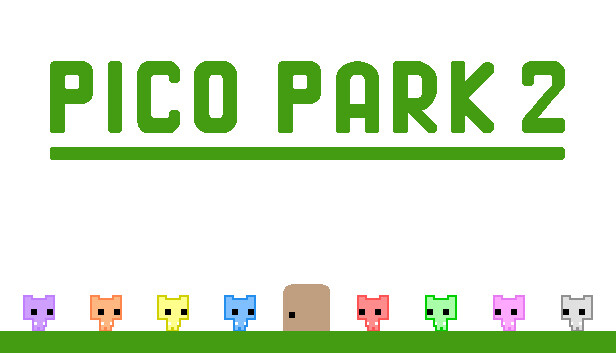
PICO PARK 2 is a 2D action-puzzle game where working together is key! We're now back with more levels than in the last game!
As with the previous iteration, this game can be played locally or online from two players all the way to eight. All levels can be played no matter how many players you have, so jump in with your friends and take 'em on!
Online play also features cross-platform support, allowing you to play with your friends no matter what platform you have! Also, up to 7 players can join online with a single PC.
Added alongside the WORLD, ENDLESS, and BATTLE modes is the slightly unfair, somewhat difficult DARK mode! Jump, plot, and plunge into the all-new PICO PARK 2!
[TecoGamePad] You can use your smartphone as a gamepad with the TecoGamePad. It can be downloaded from the App Store and Google Play.
To activate the game, you need a Steam Account
Login or register at the official Steam Website and download Steam client
Install and start application, login with your Account name and Password
Click the Games Menu.
Choose Activate a Product on Steam...
Follow the onscreen instructions to complete the process
After the successful code verification, go to the "MY GAMES" tab and start downloading.
News & Updates
2026-09-02
Get 50 Extra YXP for a Limited Time
Ready to level up your YUPLAY Loyalty progress? The YXP Extra Event is back, giving you another chance to earn 50 bonus YXP with every qualifying order. Spend at least €10 between 02.09.2026 15:00 CET and 07.09.2026 15:00 CET and get an extra 50 YXP on top of your regular Loyalty Program rewards!
ACE COMBAT 8 Could Be the Series’ Most Ambitious Entry
The upcoming Ace Combat 8: Wings of Theve marks a completely new chapter in the popular flight shooting series, by effectively blending cinematic storytelling with the thrills of aerial combat like never before. Developed by Bandai Namco Aces Inc., the game will build upon the decades of established expertise in order to further boost the series’ strong sides…
This game does not default to external Bluetooth/USB controllers on Deck, and may require manually switching the active controller via the Quick Access Menu
All functionality is accessible when using the default controller configuration
This game shows Steam Deck controller icons
In-game interface text is legible on Steam Deck
This game's default graphics configuration performs well on Steam Deck