2026-10-23
BOO! Giveaway - Win a Game of Your Choice
Make a purchase of any amount between 23.10.2026 15:00 CET and 28.10.2026 15:00 CET, submit your Order ID in our Gleam and get a chance to win a FREE GAME (up to 50€).…



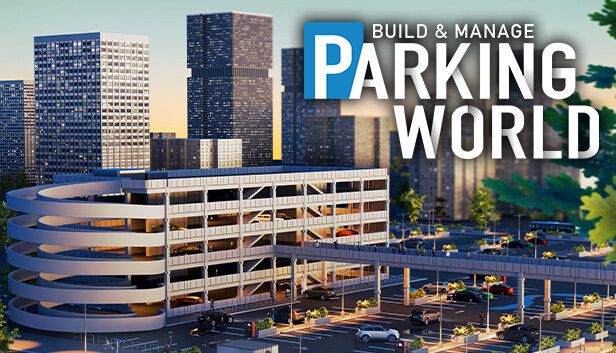
Finally, you are in charge, conquering the toils of car travel - create your perfect parking garage and carefully manage its operation and staff, overcome dynamic events, and get ready to solve everybody else’s parking problems in this sandbox economy simulator for automotive enthusiasts. But fear not eager entrepreneur, if you outgrow the sandbox, the world of parking has problems to solve a-plenty in stock!
Parking World is a slow-paced economy sim that gives you full control over a complex building editor so you can create the perfect parking garage. From humble beginnings building your first lot with temporary foundations and barrier tape up to your magnum opus multistory monster car park – everything is possible. Is your favorite pastime to police how other people are leaving their car behind? Are you annoyed by parking offenders and small, cramped parking spaces? Then take control in Parking World and show them how it’s done!
Hire workers to do chores, please visitors by adding decorations, set up vending machines and keep the taxman at bay by adjusting prices to supply and demand – but be careful not to be too greedy as it will affect your rating. For of the charts reviews that will make people flock to your block you will have to work hard and keep up appearances, manage threats and keep your lot clean.
From festival-lined lawns to the grand opening of a store, the quest for the ideal car park is detailed and varied. To raise your asphalt empire, you first need to build trust with all the colorful clients the city has to offer – from officials to entrepreneurs. Help four different quest-givers to fulfill their ambitious automotive shelving needs in various unique scenarios to be crowned the king of Parking World!