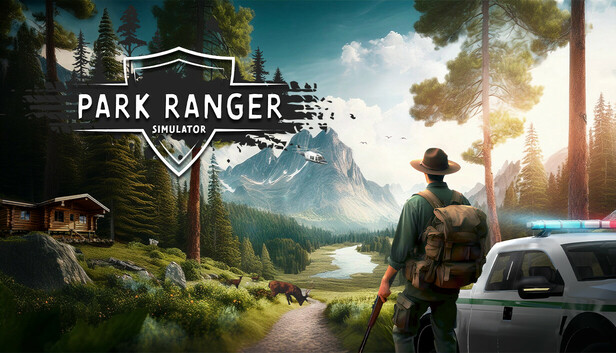
Immerse yourself in the exciting world of Park Ranger Simulator and take over the management of the Summit Vista National Park in a huge, lively open world. Take on all the tasks that need to be done as a park ranger — either alone or together with friends in cross‑platform multiplayer!
Do you have what it takes to master the challenges ahead and manage your park successfully?
Discover an open world of almost 20 km² full of different animals that can only be found in different biomes. Complete missions in the extensive forests of the park and equip yourself with the necessary equipment in one of the two towns. In addition to completing missions, you can, of course, freely explore the extensive game world.
Master a total of 50 varied missions that authentically reflect the day‑to‑day work of a Park Ranger. From repair work and extinguishing fires to felling and removing trees, there are many different challenges to master.
Always keep an eye on various factors such as the condition of the park and the animal population ratio, as these influence the rating of your park and therefore also your finances.
The integrated economic system allows you to buy new vehicles, tools, weapons and many other items of equipment to successfully fulfil your duties as a park ranger. It is therefore important to keep a constant eye on your park’s rating and your finances.
A total of nine vehicles are available to help you overcome the upcoming challenges in the large game world. These include cars, boats and even a helicopter so that you are flexible on the road, on water, in the air and can get to the various mission locations quickly.
Processor: AMD Ryzen 7 3700X or Intel Core i7-9700K
Memory: 16 GB RAM
Graphics: NVIDIA RTX 2070 or AMD RDNA2 equivalent
Storage: 15 GB available space
windows Recommended
OS: Requires a 64-bit processor and operating system
Processor: AMD Ryzen 7 5800X or Intel Core i7-11700K
Memory: 32 GB RAM
Graphics: NVIDIA RTX 4070 or AMD equivalent
Storage: 15 GB available space
To activate the game, you need a Steam Account
Login or register at the official Steam Website and download Steam client
Install and start application, login with your Account name and Password
Click the Games Menu.
Choose Activate a Product on Steam...
Follow the onscreen instructions to complete the process
After the successful code verification, go to the "MY GAMES" tab and start downloading.
News & Updates
2026-09-17
Celebrate Fall and Collect Your Free Game Drop
Summer is over and the new gaming season starts with a blast at YUPLAY, so for this occasion we decided to bring you a massive storewide promotion with a surprise FREE game as a gift from us. All you have to do to participate is make an order over 9.99€ between 17.09.2026 15:00 CET and 21.09.2026 15:00 CET, and you will get your FREE game together with the ones you have purchased…
Ready to level up your YUPLAY Loyalty progress? The YXP Extra Event is back, giving you another chance to earn 50 bonus YXP with every qualifying order. Spend at least €10 between 02.09.2026 15:00 CET and 07.09.2026 15:00 CET and get an extra 50 YXP on top of your regular Loyalty Program rewards!