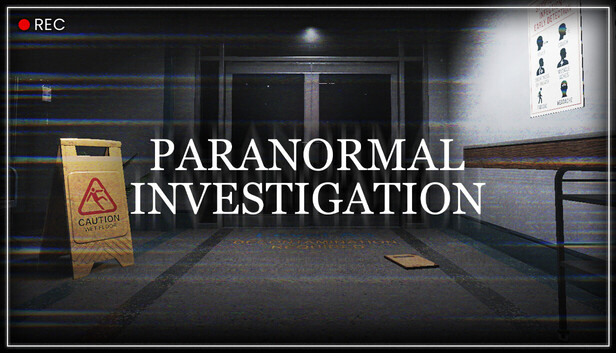
You’re an operator who is assigned to investigate a signal that is coming from an abandoned facility. For years, rumors have swirled: missing persons, unexplained noises, flickering lights, and the presence of something no one dares to face.You are packed with standard tools that will help you identify which room is the source of the disturbance. Ask the ghost questions using your notebook that will help you discover important information about the ghost. Search the facility's patient records on your computer for the discovered ghost name and year of death to learn more about the ghost's death and complete the investigation.
A word is rumored that the place is a portal to another world where rooms are constantly changing. Use the CCTV system (located on the second floor) to report any anomalies before your reality fades away.
Cursed
We know that the ghost inhabiting the facility is a result of a death that happened inside. Use your cursed tools to determine the ghost room, then conduct your investigation using the notebook. Ask important questions that will lead you to find the ghost patient record.
FEATURES
Noise Detection: Ghosts can hear every noise you make using your microphone.
Hiding Spots: When you anger the ghost enough, it will start haunting. Only then, find and hide inside a hiding spot quickly! Be careful, they can still hear you!
Voice Recognition: You’re equipped with a standard SpiritBox that detects the responses of the ghost! Using the SpiritBox, ask questions like:
“Where are you?” “Are you here?” “Show yourself!”
Anomalies: The abandoned facility has security cameras scattered all over the place. Use the CCTV system to detect and report anomalies.
Object Hidden. Object Movement. Extra Object. and more.
Dynamic Ghosts: A new ghost is generated with a different patient record each round. Each round, the ghost has a single type of evidence, such as fingerprints, spirit box responses, candle reactions, and more.
Login or register at the official Steam Website and download Steam client
Install and start application, login with your Account name and Password
Click the Games Menu.
Choose Activate a Product on Steam...
Follow the onscreen instructions to complete the process
After the successful code verification, go to the "MY GAMES" tab and start downloading.
News & Updates
2026-07-20
Our Way of Saying Thank You
Great games are nothing without loyal gamers and we're grateful to have such an amazing community that supports our store. That’s why we’re launching our special “YUPLAY Is Feeling Generous” campaign as a way of saying “Thank you”. During this campaign, with every order over €30 you will receive a free 10% discount code that can be used during your next purchase…
The FIFA World Cup 2026 is coming in hot this summer and while these coming weeks it is all going to be centered around the best game in the world of sports, we decided to bring you a dedicated YUPLAY giveaway to commemorate the occasion together! This promotional giveaway campaign invites all of our followers to try and predict the exact final scores of selected matches from the World Cup…