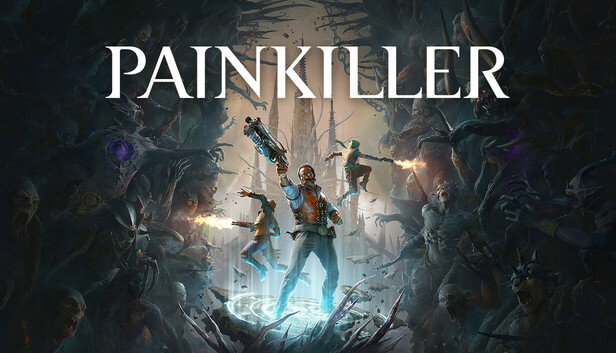
Painkiller is a reimagining of the classic franchise, featuring co-op play for up to three players and full offline support. Battle hordes of demons and titanic terrors across richly detailed gothic environments.
Trapped in Purgatory, you are sentenced for your transgressions against Heaven. But the Voice of the Creator gives you a chance to redeem yourself. As one of the Champions, you are to stop the fallen angel Azazel who is about to unleash his demonic armies onto Earth. You will face hordes of enemies, demons with unique powers and three monstrous children of Azazel - the Nephilim.
Will you succeed in your mission and earn your salvation?
Purgatory Is Your Playground - Jump, dash, and hook across vast biomes while fighting enemies with a host of new and classic Painkiller weapons.
Grotesque Terrors Await - Challenge a variety of enemies ranging from hordes of smaller demons to titanic terrors.
Unleash The Pain - Utilize tarot cards to enhance your abilities and combine them with other players to obliterate your foes.
Choose Your Character Wisely - Play as one of four distinctive characters - Ink, Void, Sol and Roch - and take advantage of their unique perks to boost your energy, health, power and damage.
Rogue Angel Mode – Step beyond the main campaign and into a new realm of Purgatory. Team up with your friends and fight for survival in handcrafted randomized arenas.
Graphics: NVIDIA GeForce GTX 1660 Super or AMD Radeon RX 6600 XT or Intel Arc A750
Storage: 30 GB available space
Directx: Version 12
Network: Broadband Internet connection
windows Recommended
OS: Windows 10 (64-bit)
Processor: Intel Core i5-10400 or AMD Ryzen 5 3600
Memory: 32 GB RAM
Graphics: NVIDIA GeForce RTX 3060 Ti or AMD Radeon RX 6750 XT or Intel Arc A770
Storage: 30 GB available space
Directx: Version 12
Network: Broadband Internet connection
To activate the game, you need a Steam Account
Login or register at the official Steam Website and download Steam client
Install and start application, login with your Account name and Password
Click the Games Menu.
Choose Activate a Product on Steam...
Follow the onscreen instructions to complete the process
After the successful code verification, go to the "MY GAMES" tab and start downloading.
News & Updates
2026-06-11
Celebrate FIFA World Cup 2026 with YUPLAY
The FIFA World Cup 2026 is coming in hot this summer and while these coming weeks it is all going to be centered around the best game in the world of sports, we decided to bring you a dedicated YUPLAY giveaway to commemorate the occasion together! This promotional giveaway campaign invites all of our followers to try and predict the exact final scores of selected matches from the World Cup…
First V-Bucks, Now Steam Decks: Why Gaming is Getting More Expensive
Has gaming been steadily becoming more and more expensive lately? In the past months and quarters there has definitely been an increase in pricing in both the software and hardware departments of gaming and this trend has definitely stricken the market in more than a couple of ways. The industry has experienced a trend of gaming price increases as well as more expensive subscriptions…
Some in-game text is small and may be difficult to read
This game does not default to external Bluetooth/USB controllers on Deck, and may require manually switching the active controller via the Quick Access Menu
All functionality is accessible when using the default controller configuration
This game shows Steam Deck controller icons
This game's default graphics configuration performs well on Steam Deck