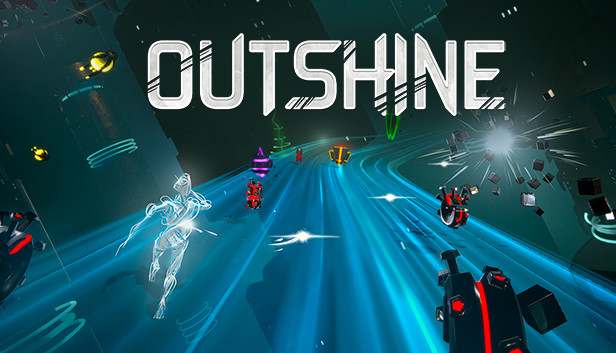
Outshine is an arcade, fast-paced typing game where you type words to destroy your enemies.
After the Shards experimented on Hue, they pushed it so hard, resulting in unleashing its power.
A challenging arcade gameplay Play Hue and take revenge on your opponents by destroying them using your special abilities.
A tactical typing game Each world has its own flow, enemies and bosses. Master your different powers, get to know your enemies’ behaviour and get rid of them before they annihilate you.
Create your own game experience Use the game modifiers to change the rules of the game and create your own custom experience according to your preferences. Finish the game, replay with other rules.
Leaderboard You are good at typing? You think your name belongs at the top of Outshine’s leaderboard? Then type your way up there and show everyone your skills.
Your mightiest weapon, your keyboard In Outshine, everything is played with your keyboard. From combats to menus the entire game can be played solely with your favorite keyboard. All keys are re-bindable, supporting all kinds of layouts (Qwerty, Azerty, Qwertz, Dvorak, Colemak, BÉPO,...).
Additional notes: Requires a 64-bit processor and operating system
To activate the game, you need a Steam Account
Login or register at the official Steam Website and download Steam client
Install and start application, login with your Account name and Password
Click the Games Menu.
Choose Activate a Product on Steam...
Follow the onscreen instructions to complete the process
After the successful code verification, go to the "MY GAMES" tab and start downloading.
News & Updates
2026-01-02
Game More, Pay Less: YUPLAY’s New Year Clearance Sale Is Live
Start the new year with unbeatable Steam PC game deals! YUPLAY’s New Year’s Clearance Sale brings massive discounts on top video games - but time is running out. Discover the best offers, limited quantities, and must-have titles before they’re gone.
On the very cusp of 2026, we have prepared the YUPLAY Monthly Recap - December edition to include information about some of the biggest gaming experiences of all time, as well as prominent hits across the year and an announcement of a classic game that would make its return very soon! Ready to close off 2025 with a blast? Let’s deliver on that with a few banging stories that we are certain that you would really like…
Some functionality is not accessible when using the default controller configuration, requiring use of the touchscreen or virtual keyboard, or a community configuration
This game sometimes shows mouse, keyboard, or non-Steam-Deck controller icons
In-game interface text is legible on Steam Deck
This game's default graphics configuration performs well on Steam Deck