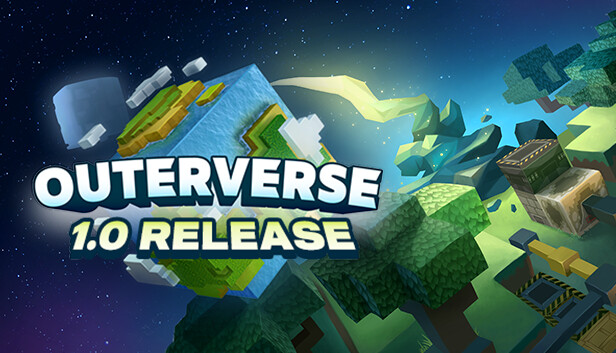
Outerverse is a quest-driven, crafting automation adventure game. Build automated machines and weapons, travel across the universe, beat massive titans, explore unique landmarks and advance your technology while experiencing cosmic events. Includes a manual scenario for crafting instead of machines for those not a fan of logic/automation!
Defeat 6 massive Titans, each one unique and with a special mechanic to defeat. Shoot fireballs at the Tree Titan, launch rockets into the Rock Titan, build lasers to obliterate the Negative Titan, all that and more!
Automate unique machines and farms using logic, transportation, and spawning systems inspired by Redstone & Minecraft Automation. Design your own custom machines, or use pre-made schematics for simplicity! Alternatively, choose the manual crafting scenario for the same experience but with crafting instead of machines - without machines, farms, logic or wires.
Follow a questline that will fully guide your adventure. Progress to unlock better equipment and new space travel technology. From starting out and learning the basics, to defeating the most massive titans, to exploring the mysteries of space in unique locations, the questline will guide you through the whole way.
During the questline you will experience exciting cosmic events in unforgettable locations while you explore the universe made out of beautiful procedural space fields such as galaxy clusters, galaxies, neutron stars with accretion disks, gas planets, quasi stars, and more!
Graphics: AMD Radeon R7 370 or NVIDIA GeForce GTX 660/570
Storage: 8 GB available space
Directx: Version 11
Additional notes: System estimates are an evaluation only
To activate the game, you need a Steam Account
Login or register at the official Steam Website and download Steam client
Install and start application, login with your Account name and Password
Click the Games Menu.
Choose Activate a Product on Steam...
Follow the onscreen instructions to complete the process
After the successful code verification, go to the "MY GAMES" tab and start downloading.
News & Updates
2025-12-13
Test Your Gaming IQ with YUPLAY and Win
As the holiday season is already nearly here, we prepared a special Christmas Giveaway that would let you test your gaming IQ with YUPLAY and win some awesome prizes while doing it! Make sure to regularly check and follow our YUPLAY X profile in order to be in the know about any possible chances to participate and enter the Christmas Giveaway in a timely manner. Are you up to the challenge and ready to guess some great gaming titles?
Dive Into 2025’s Most Addictive Video Games – Part 2
As you probably know, we separated the most addictive video games blog into 2 dozens of Steam games in almost all of the main gaming genres, so there should be something for everyone to enjoy on it! Now we are here to continue our list and if you checked out the first part of it, you know we made sure to discuss some of the top hit games that recently got released. We assure you there will not be bad titles in the second part as well, so let’s head over to the first entry in part 2 immediately!
Some functionality is not accessible when using the default controller configuration, requiring use of the touchscreen or virtual keyboard, or a community configuration
This game sometimes shows mouse, keyboard, or non-Steam-Deck controller icons
Entering some text requires manually invoking the on-screen keyboard
Some in-game text is small and may be difficult to read
This game requires manual configuration of graphics settings to perform well on Steam Deck