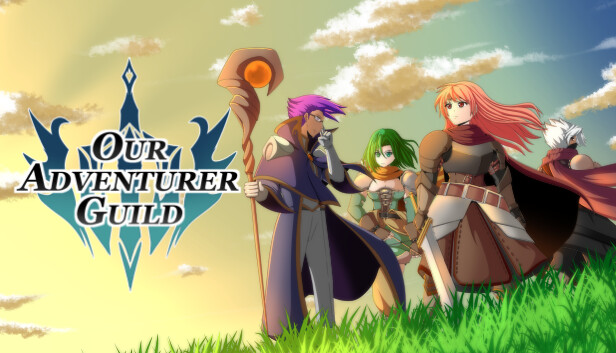
Your friend, the former Guild Master of the declining Adventurer Guild, has died and named you his successor. Will you lead the Guild to fame and glory? Or will it finally disband under your leadership?
Our Adventurer Guild is a game about managing an Adventurer Guild. Accept quests to raise the reputation of your Guild. Lead your adventurers in quests to explore and battle foes in turnbased tactical combat. Keep an eye on the mood and relationships of your adventurers. Raise and grow them and watch as they make a name for themselves.
Features
Become the Guild Master of the Adventurer Guild Manage your Guild and your adventurers. Do not let the Guild fall to ruin and lead your adventurers to a better future.
Turnbased tactical battles Fight in deadly gridbased tactical battles against dozens of different enemies with their own unique skills. Take advantage of the Bravery System to push your adventurers to their limit. Will they overcome the odds and turn the tide of battle or will they break under the pressure?
Memorable Characters Your adventurers have their own traits and characteristics. Watch them grow and develop relationships with each other. Will they stay the way they are or will the life of an adventurer mark them?
Build your Adventurer Train your adventurers to become legends. Choose from a variety of different classes each with their own skill trees to explore. Customize their appearances and create a party to your liking.
Crafting Use the materials your adventurers find on their quests and craft them items that will help them on their next adventure.
Meet the Cast Meet several Characters who will help you on your path to restore the Adventurer Guild. Each one with their own personal stories and personalities.
windows Minimum
Processor: 2+ Ghz
Memory: 4 GB RAM
Graphics: GeForce GTX 560+
Storage: 7 GB available space
To activate the game, you need a Steam Account
Login or register at the official Steam Website and download Steam client
Install and start application, login with your Account name and Password
Click the Games Menu.
Choose Activate a Product on Steam...
Follow the onscreen instructions to complete the process
After the successful code verification, go to the "MY GAMES" tab and start downloading.
News & Updates
2026-09-28
Are We Entering the Age of Gaming Leak Culture?
Once upon a time, a video game leak seemed nearly as an almost innocent accident, a gaming magazine published a screenshot too early or a store put a copy on a shelf before the scheduled release date…
As you probably already know, at YUPLAY we constantly strive to discover new and exciting ways to regularly promote the best video game titles directly to you. We do that quite often with our storewide discount campaigns, but we were looking for another way to do it without the need for a whole promotional event…