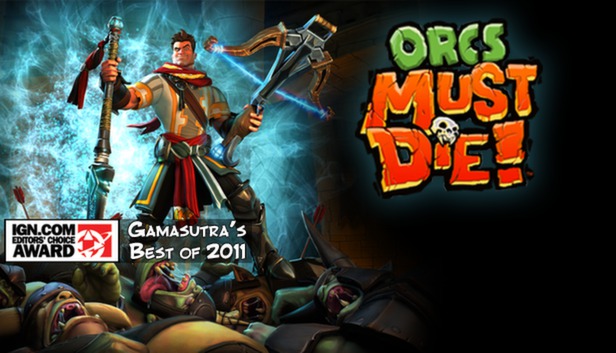
Slice them, burn them, skewer them, and launch them - no matter how you get it done, orcs must die in this fantasy action-strategy game from Robot Entertainment.
As a powerful War Mage with dozens of deadly weapons, spells, and traps at your fingertips, defend twenty-four fortresses from a rampaging mob of beastly enemies, including ogres, hellbats, and of course, a whole bunch of ugly orcs. Battle your enemies through a story-based campaign across multiple difficulty levels, including brutal Nightmare mode!
Will you roast orcs in pits of lava, pound them flat with a ceiling trap, or freeze and shatter them with a slash? No matter the weapons and traps you choose, you’re sure to have an orc-killing blast!
Features
24 Fortresses to Defend – Twisting passages, tall towers, and wide-open chambers all need a war mage to protect them
6 Orc-Killing Weapons and Spells – From crossbow and bladestaff to the magical power of the elements
19 Deadly Traps and Fierce Minions – Choose from a wide variety of traps including arrow walls, spike traps, spinning blades, and flaming brimstone or call in allies to assist you in the destruction of the orc horde
11 Unique Enemies – Including ogres, flying hellbats, and of course, a whole bunch of ugly orcs
Story-based Campaign – Fend off orcs across three acts to discover the mysterious power behind their relentless assaults
Persistent Upgrades – Unlock improved traps as you progress through the campaign
Extensive Replayability – “Nightmare Mode” and a skull ranking system provide extended play
Scoring System and Leaderboard – Compete with your friends for the title of Best Orc Killer!
Graphics: NVIDIA GeForce 6800 or ATI Radeon x1950 or better with 256MB VRAM
Storage: 5 GB HD space
Directx: dx90c
To activate the game, you need a Steam Account
Login or register at the official Steam Website and download Steam client
Install and start application, login with your Account name and Password
Click the Games Menu.
Choose Activate a Product on Steam...
Follow the onscreen instructions to complete the process
After the successful code verification, go to the "MY GAMES" tab and start downloading.
News & Updates
2026-10-23
BOO! Giveaway - Win a Game of Your Choice
Make a purchase of any amount between 23.10.2026 15:00 CET and 28.10.2026 15:00 CET, submit your Order ID in our Gleam and get a chance to win a FREE GAME (up to 50€).…
Entering some text requires manually invoking the on-screen keyboard
This game does not default to external Bluetooth/USB controllers on Deck, and may require manually switching the active controller via the Quick Access Menu
All functionality is accessible when using the default controller configuration
This game shows Steam Deck controller icons
In-game interface text is legible on Steam Deck
This game's default graphics configuration performs well on Steam Deck