He is gone… The only lead is his old notebook and a mysterious necklace. What happened?
Oceanhorn: Monster of Uncharted Seas
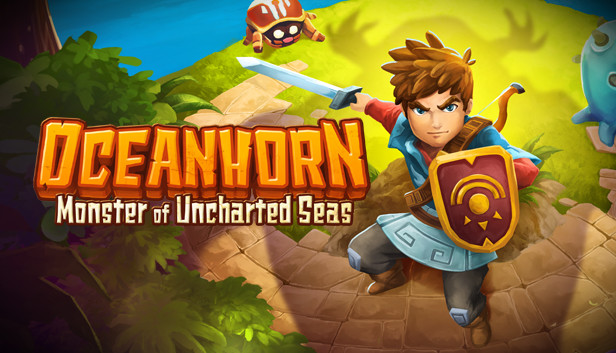
Oceanhorn: Monster of Uncharted Seas combines captivating storytelling, breathtaking 3D visuals and exciting gameplay into one epic action-adventure experience.
In the game you explore the islands of Uncharted Seas, a world filled with many dangers, puzzles and secrets. You must fight monsters, learn to use magic and discover ancient treasures, which will help you on your quest. Use all of your wits and skill to unravel the mysteries of the ancient kingdom of Arcadia and the sea monster, Oceanhorn.
FEATURE OVERVIEW:
15+ hours of story driven gameplay
Master magic and swordfight
Find ancient items to help you on your quest
Steam Achievements and Leaderboards
Steam Cloud
Steam Trading Cards
Full controller support
Enchanting original soundtrack
Copyright 2015-2021 Cornfox & Brothers Ltd. All Rights Reserved. Oceanhorn is a registered trademark of Cornfox & Brothers Ltd.
windows Minimum
OS: Windows 7
Processor: 1.7 GHz Dual Core or faster
Memory: 1 GB RAM
Graphics: DirectX 10 compatible, 256 MB VRAM
Storage: 700 MB available space
Directx: 10
Additional notes: Even slower systems may run the game
OS: 10.7.0
Processor: 2.2 GHz
Memory: 2 GB RAM
Graphics: ATI Radeon HD 5850 or NVidia GeForce GTX 460, and 1 GB VRAM
Storage: 700 MB available space
Additional notes: Even slower systems may run the game.
windows Recommended
OS: Windows 10
Processor: 2.2 GHz Dual Core or faster
Memory: 2 GB RAM
Graphics: DirectX 10 compatible, 512 MB VRAM
Storage: 800 MB available space
Directx: 10
Sound card: DirectX 10 compatible
Additional notes: Even slower systems run the game.
macosx Recommended
OS: 10.11.5
Processor: 2.3 GHz Intel Core i7
Memory: 4 GB RAM
Graphics: ATI Radeon HD 5850 or NVidia GeForce GTX 460, and 2 GB VRAM
Storage: 800 MB available space
Additional notes: Even slower systems run the game.
To activate the game, you need a Steam Account
Login or register at the official Steam Website and download Steam client
Install and start application, login with your Account name and Password
Click the Games Menu.
Choose Activate a Product on Steam...
Follow the onscreen instructions to complete the process
After the successful code verification, go to the "MY GAMES" tab and start downloading.
News & Updates
2026-11-23
More Than Just Great Deals: What Makes YUPLAY Different?
Gaming fans look for a reputable and trustworthy website that offers competitive deals, instant game key delivery and a secure shopping experience…
YUPLAY Lucky 10 Giveaway – 10 Prizes Waiting for You
Win big with YUPLAY! Enter our Gleam Giveaway for a chance to win one of 10 gaming rewards, including 50€ and 30€ games of your choice, YU Coins, and discount codes. The more entries you collect, the better your chances.