He is gone… The only lead is his old notebook and a mysterious necklace. What happened?
Oceanhorn: Monster of Uncharted Seas
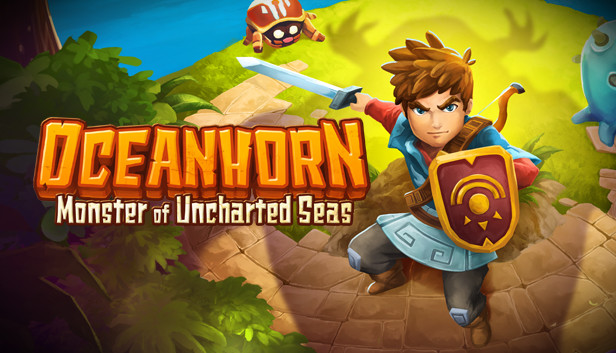
Oceanhorn: Monster of Uncharted Seas combines captivating storytelling, breathtaking 3D visuals and exciting gameplay into one epic action-adventure experience.
In the game you explore the islands of Uncharted Seas, a world filled with many dangers, puzzles and secrets. You must fight monsters, learn to use magic and discover ancient treasures, which will help you on your quest. Use all of your wits and skill to unravel the mysteries of the ancient kingdom of Arcadia and the sea monster, Oceanhorn.
FEATURE OVERVIEW:
15+ hours of story driven gameplay
Master magic and swordfight
Find ancient items to help you on your quest
Steam Achievements and Leaderboards
Steam Cloud
Steam Trading Cards
Full controller support
Enchanting original soundtrack
Copyright 2015-2021 Cornfox & Brothers Ltd. All Rights Reserved. Oceanhorn is a registered trademark of Cornfox & Brothers Ltd.
windows Minimum
OS: Windows 7
Processor: 1.7 GHz Dual Core or faster
Memory: 1 GB RAM
Graphics: DirectX 10 compatible, 256 MB VRAM
Storage: 700 MB available space
Directx: 10
Additional notes: Even slower systems may run the game
OS: 10.7.0
Processor: 2.2 GHz
Memory: 2 GB RAM
Graphics: ATI Radeon HD 5850 or NVidia GeForce GTX 460, and 1 GB VRAM
Storage: 700 MB available space
Additional notes: Even slower systems may run the game.
windows Recommended
OS: Windows 10
Processor: 2.2 GHz Dual Core or faster
Memory: 2 GB RAM
Graphics: DirectX 10 compatible, 512 MB VRAM
Storage: 800 MB available space
Directx: 10
Sound card: DirectX 10 compatible
Additional notes: Even slower systems run the game.
macosx Recommended
OS: 10.11.5
Processor: 2.3 GHz Intel Core i7
Memory: 4 GB RAM
Graphics: ATI Radeon HD 5850 or NVidia GeForce GTX 460, and 2 GB VRAM
Storage: 800 MB available space
Additional notes: Even slower systems run the game.
To activate the game, you need a Steam Account
Login or register at the official Steam Website and download Steam client
Install and start application, login with your Account name and Password
Click the Games Menu.
Choose Activate a Product on Steam...
Follow the onscreen instructions to complete the process
After the successful code verification, go to the "MY GAMES" tab and start downloading.
News & Updates
2026-09-02
Get 50 Extra YXP for a Limited Time
Ready to level up your YUPLAY Loyalty progress? The YXP Extra Event is back, giving you another chance to earn 50 bonus YXP with every qualifying order. Spend at least €10 between 02.09.2026 15:00 CET and 07.09.2026 15:00 CET and get an extra 50 YXP on top of your regular Loyalty Program rewards!
ACE COMBAT 8 Could Be the Series’ Most Ambitious Entry
The upcoming Ace Combat 8: Wings of Theve marks a completely new chapter in the popular flight shooting series, by effectively blending cinematic storytelling with the thrills of aerial combat like never before. Developed by Bandai Namco Aces Inc., the game will build upon the decades of established expertise in order to further boost the series’ strong sides…