2026-10-02
YXP Extra Event: Give Your Next Rank a Boost!
Earn 50 BONUS YXP with every €10+ order! Boost your progress, climb the ranks, and get more from your next purchase during the YXP Extra Event.



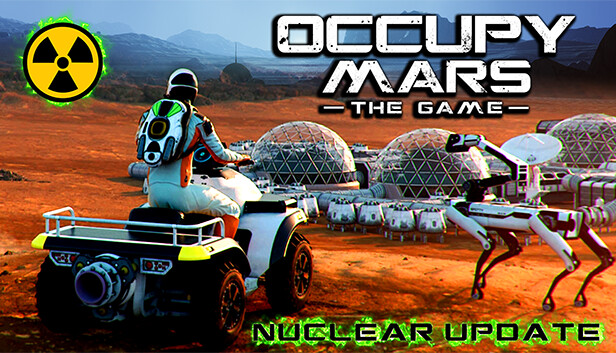
Occupy Mars is a technical, open-world sandbox, survival game about Mars colonization inspired by the most promising technologies and companies that are working towards the goal of humanity becoming a multi-planet species.
Build and upgrade your base, discover new regions, conduct mining operations, retrieve water, generate oxygen, grow crops, fix broken parts, and learn how to survive on Mars!
Build and upgrade your base. Make sure that there is enough water, oxygen, power, and food to survive.
Build greenhouses, oxygen tanks, fuel generators, connect all the pipes and cables, and remember about proper cable management. Grow your own food.
Fix broken parts using realistic electronic components and tools. Learn the basics soldering, using hot air, electronic measurement tools, and all the details necessary to fix your equipment.
Explore different regions of Mars while searching for valuable resources, discover mining sites, and find the best place to build a city.
Remember that you need to find a relatively leveled area with good access to underground water in a place where temperatures don't drop too much during the night.
Experience an open-world sandbox game with a realistic day/night cycle and overcome real challenges that colonists face. Build solar arrays and batteries for energy storage, upgrade them, and find the optimal way to power your colony.
Upgrade your vehicles and equipment in your garage. Organize your workshop and modify your rover. Change crane hydraulics, operate the robotic arm, dig for valuable resources, build mining rigs, and more...
Occupying Mars is not always easy. Sometimes things will explode, break or not go exactly as planned. Learn to cope with "Rapid Unscheduled Disassembly.” Sometimes you have to really act quickly before you run out of air, food, or energy.
...but most importantly HAVE FUN on Mars!