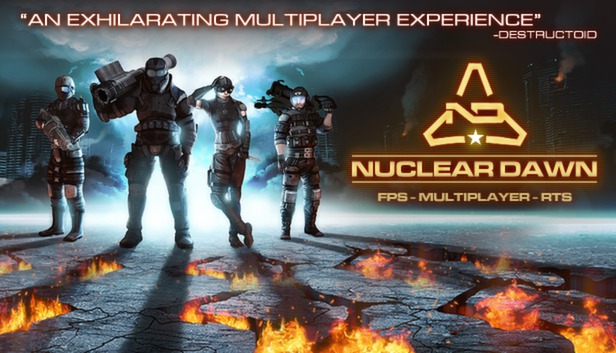
Nuclear Dawn is the first game to offer a full FPS and RTS experience, within a single gameplay model, without crippling or diluting either side of the game.
As a soldier, explore war-torn post-apocalyptic landscapes, modelled on modern cities, and take the fight to your enemies as armoured, assault or stealth infantry, using various weapons across ten distinct load-outs to accomplish your objectives. The first person shooter action in Nuclear Dawn is hard, fast and unforgiving, with weapons that rely on skill and tactics more than on twitch reflexes and map memorization.
Then, take Nuclear Dawn above the action, and play as the commander. Organize your fellow players in squads, and assign them to tactical objectives. Plan the resource routes for your army, and production of your structures for forward deployment. Exploit the terrain and resource point locations to block your enemies’ advance, and crush their plans in an iron fist. Research and implement new technologies to give your soldiers the edge on the battlefield, and set up forward bases to lead the assault on your enemies, with a full complement of defensive and offensive structures to choose from, to build your perfect fortress.
OS: Windows® 7 32/64-bit / Vista 32/64 / XP or higher
Processor: Intel Core 2 Duo 2.4GHz or equivalent
Memory: 2GB
Graphics: Video card must be 128 MB or more and should be a DirectX 9-compatible with support for Pixel Shader 2.0b (ATI Radeon HD 2900 - NVidia GeForce 8800)
Storage: 6GB of free HDD space
Sound card: DX 9.0c compatible sound card
macosx Minimum
OS: Mac OS X 10.6.7 or higher, up to macOS 10.14
Processor: Core 2 Duo 2.4 Ghz
Memory: 2GB RAM
Graphics: ATI Radeon HD 2400 / NVidia GeForce 8600M / Intel HD Graphics 3000
Storage: 6GB of free HDD space
linux Minimum
OS: Ubuntu or Debian/Linux 12.04 or higher
Processor: Core 2 Duo 2.4 Ghz
Memory: 2GB RAM
Graphics: ATI Radeon HD 2400 / NVidia GeForce 8600M / Intel HD Graphics 3000
Storage: 6GB of free HDD space
To activate the game, you need a Steam Account
Login or register at the official Steam Website and download Steam client
Install and start application, login with your Account name and Password
Click the Games Menu.
Choose Activate a Product on Steam...
Follow the onscreen instructions to complete the process
After the successful code verification, go to the "MY GAMES" tab and start downloading.
News & Updates
2026-07-20
Our Way of Saying Thank You
Great games are nothing without loyal gamers and we're grateful to have such an amazing community that supports our store. That’s why we’re launching our special “YUPLAY Is Feeling Generous” campaign as a way of saying “Thank you”. During this campaign, with every order over €30 you will receive a free 10% discount code that can be used during your next purchase…
The FIFA World Cup 2026 is coming in hot this summer and while these coming weeks it is all going to be centered around the best game in the world of sports, we decided to bring you a dedicated YUPLAY giveaway to commemorate the occasion together! This promotional giveaway campaign invites all of our followers to try and predict the exact final scores of selected matches from the World Cup…