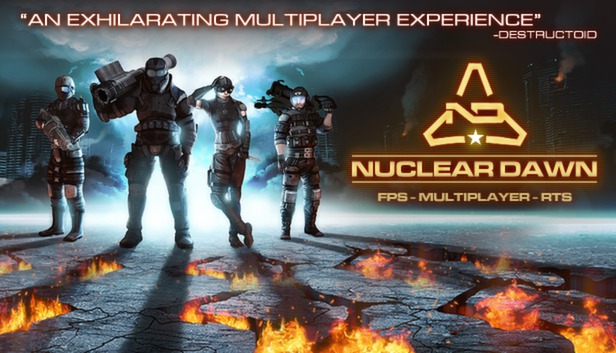
Nuclear Dawn is the first game to offer a full FPS and RTS experience, within a single gameplay model, without crippling or diluting either side of the game.
As a soldier, explore war-torn post-apocalyptic landscapes, modelled on modern cities, and take the fight to your enemies as armoured, assault or stealth infantry, using various weapons across ten distinct load-outs to accomplish your objectives. The first person shooter action in Nuclear Dawn is hard, fast and unforgiving, with weapons that rely on skill and tactics more than on twitch reflexes and map memorization.
Then, take Nuclear Dawn above the action, and play as the commander. Organize your fellow players in squads, and assign them to tactical objectives. Plan the resource routes for your army, and production of your structures for forward deployment. Exploit the terrain and resource point locations to block your enemies’ advance, and crush their plans in an iron fist. Research and implement new technologies to give your soldiers the edge on the battlefield, and set up forward bases to lead the assault on your enemies, with a full complement of defensive and offensive structures to choose from, to build your perfect fortress.
OS: Windows® 7 32/64-bit / Vista 32/64 / XP or higher
Processor: Intel Core 2 Duo 2.4GHz or equivalent
Memory: 2GB
Graphics: Video card must be 128 MB or more and should be a DirectX 9-compatible with support for Pixel Shader 2.0b (ATI Radeon HD 2900 - NVidia GeForce 8800)
Storage: 6GB of free HDD space
Sound card: DX 9.0c compatible sound card
macosx Minimum
OS: Mac OS X 10.6.7 or higher, up to macOS 10.14
Processor: Core 2 Duo 2.4 Ghz
Memory: 2GB RAM
Graphics: ATI Radeon HD 2400 / NVidia GeForce 8600M / Intel HD Graphics 3000
Storage: 6GB of free HDD space
linux Minimum
OS: Ubuntu or Debian/Linux 12.04 or higher
Processor: Core 2 Duo 2.4 Ghz
Memory: 2GB RAM
Graphics: ATI Radeon HD 2400 / NVidia GeForce 8600M / Intel HD Graphics 3000
Storage: 6GB of free HDD space
To activate the game, you need a Steam Account
Login or register at the official Steam Website and download Steam client
Install and start application, login with your Account name and Password
Click the Games Menu.
Choose Activate a Product on Steam...
Follow the onscreen instructions to complete the process
After the successful code verification, go to the "MY GAMES" tab and start downloading.
News & Updates
2026-09-17
Celebrate Fall and Collect Your Free Game Drop
Summer is over and the new gaming season starts with a blast at YUPLAY, so for this occasion we decided to bring you a massive storewide promotion with a surprise FREE game as a gift from us. All you have to do to participate is make an order over 9.99€ between 17.09.2026 15:00 CET and 21.09.2026 15:00 CET, and you will get your FREE game together with the ones you have purchased…
Ready to level up your YUPLAY Loyalty progress? The YXP Extra Event is back, giving you another chance to earn 50 bonus YXP with every qualifying order. Spend at least €10 between 02.09.2026 15:00 CET and 07.09.2026 15:00 CET and get an extra 50 YXP on top of your regular Loyalty Program rewards!