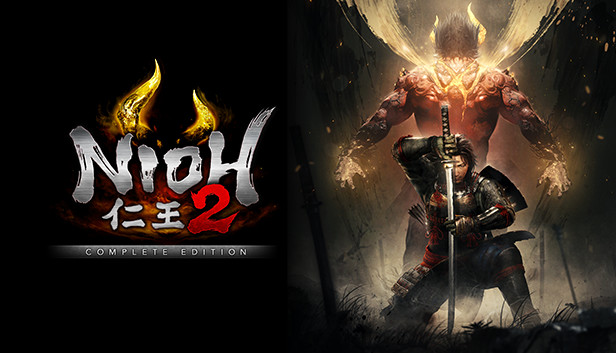
Experience the thrill of taking on hordes of fearsome yokai in a battle to the death in this brutal masocore Action RPG. Create your own original protagonist and embark on an adventure that will take you through devastated locales across Japan during the Sengoku period.
Much like the previous title which garnered much praise from fans and critics alike, Nioh 2 contains an original profound story surrounding military commanders from the Sengoku period. However, Nioh 2 goes above and beyond its predecessor by including the new Yokai Shift ability which allows the protagonist to utilize new powerful forms to defeat even the most formidable yokai in battle. New to Nioh 2, your enemies can now create a Dark Realm which raises the stakes of battle and creates new challenges for your protagonist to overcome. We hope you enjoy conquering fearsome monsters as you unleash your darkness in the world of Nioh 2.
Included Content
Nioh 2: Complete Edition includes all of the content from Nioh 2 along with all 3 DLC expansions, The Tengu’s Disciple, Darkness in the Capital, and The First Samurai.
The Tengu’s Disciple
The Tengu’s Disciple takes the protagonist to the end of the Heian period, where the Genji and Heike clans were competing ruthlessly with one another. Experience the battle that acts as a prologue which reveals how the story of Nioh 2 came to be.
Darkness in the Capital
Darkness in the Capital takes place during the middle of the Heian period, a point in history where evil spirits and yokai ran rampant throughout Japan. The protagonist is brought back to this period and ventures to the capital where they will uncover the connections between an even more distant past and the present time period from which they came.
The First Samurai
The First Samurai brings the protagonist to the Suzuka Pass during the beginning of the Heian period. In the climactic 3rd expansion of the Nioh 2 saga, the protagonist will once again confront their arch-nemesis, Otakemaru.
PC Features:
Full Mouse & Keyboard customisation
Gamepad compatibility
4K Ultra-HD support*
Ultra Wide-Screen compatibility*
HDR & 144Hz monitor support*
60/120 FPS*
Requires a monitor/PC components that support these modes.
Graphics: NVIDIA GeForce GTX 970 or over, VRAM 4GB or over
Storage: 85 GB available space
Directx: Version 11
Network: Broadband Internet connection
Sound card: 16 bit stereo, 48KHz WAVE file can be played
windows Recommended
OS: Windows® 10 64bit
Processor: Intel Core i7 6700K or over
Memory: 16 GB RAM
Graphics: NVIDIA GeForce GTX 1660 SUPER or over, VRAM 6GB or over
Storage: 85 GB available space
Directx: Version 11
Network: Broadband Internet connection
Sound card: 16 bit stereo, 48KHz WAVE file can be played
To activate the game, you need a Steam Account
Login or register at the official Steam Website and download Steam client
Install and start application, login with your Account name and Password
Click the Games Menu.
Choose Activate a Product on Steam...
Follow the onscreen instructions to complete the process
After the successful code verification, go to the "MY GAMES" tab and start downloading.
News & Updates
2026-08-21
The Biggest Games to Steal the Show at Gamescom 2026
Gamescom 2026 is coming at the end of this month with more than 900 exhibitors and we just wanted to showcase some of the upcoming games in the AAA titles category that you should definitely check out! So, be sure to go through our shortlisted future release hits in most gaming genre types, as we get ready to once again explore the world of Gamescom…
ACE COMBAT 8 Could Be the Series’ Most Ambitious Entry
The upcoming Ace Combat 8: Wings of Theve marks a completely new chapter in the popular flight shooting series, by effectively blending cinematic storytelling with the thrills of aerial combat like never before. Developed by Bandai Namco Aces Inc., the game will build upon the decades of established expertise in order to further boost the series’ strong sides…
Entering some text requires manually invoking the on-screen keyboard
Some in-game text is small and may be difficult to read
This game does not default to external Bluetooth/USB controllers on Deck, and may require manually switching the active controller via the Quick Access Menu
All functionality is accessible when using the default controller configuration
This game shows Steam Deck controller icons
This game's default graphics configuration performs well on Steam Deck