2026-10-23
BOO! Giveaway - Win a Game of Your Choice
Make a purchase of any amount between 23.10.2026 15:00 CET and 28.10.2026 15:00 CET, submit your Order ID in our Gleam and get a chance to win a FREE GAME (up to 50€).…



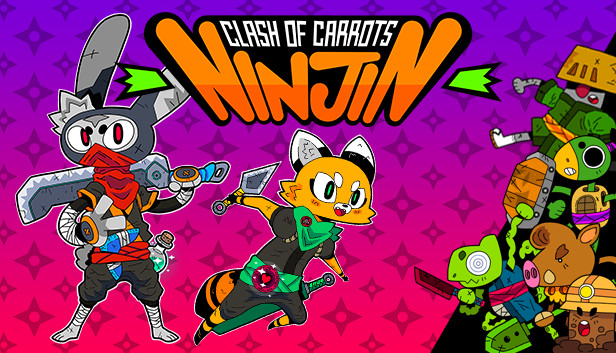
Ninjin: Clash of Carrots is an anime-inspired beat-‘em-up with a gaggle of varied enemies, deep customization…and ninjas! Play through side-scrolling worlds consisting of multiple stages and collect carrots stolen by the evil Shogun Moe! Carrots act as currency which can be redeemed in the Corgi Store for new equipment, or the Shady Shop for special weapons, masks and other customization items. Grab a friend to join you in 2-player online or local co-op.
Be a Ninja.
Play as either Ninjin, the charismatic rabbit, or Akai, the ninja fox, and fight
across a feudal Japan to defeat the evil Shogun Moe and retrieve the carrots he’s stolen!
Engaging Storyline.
Follow a robust Story Mode, meet a diverse cast of characters, and play
through multiple stages in a crazy universe.
Fast and Furious Combat.
Dodge rockets, blast through throngs of incoming enemies and
battle bosses in frenzied, fast-paced action!
Stylish Visuals.
Play through unique environments with anime-inspired HD pixel art graphics.
Deep Customization.
Choose from a huge variety of equipment with more than 150 weapons
and items, including masks, swords, projectiles, and more. Equip your character to better
defeat rivals.
Slash, Smash and Bash with Friends!
Join your friends in 2-player local or online co-op as
you progress through the game’s story.
Oni TV Show.
Compete in a “Live TV Show” survival mode, solo or with a friend, to see who
can get the furthest without dying, as wave after wave of enemies attack from all angles.
Rack up special rewards when you successfully finish each challenging stage!
Armory fit for a Ninja!
Featuring over 150 weapons, projectiles, upgrades, and more to modify the experience to each player’s preference, Ninjin: Clash of Carrots is an action-packed thrill-fest with a unique and immersive storyline, stylish environments, and exciting and frenetic gameplay! Ninjin also features a unique survival mode called “Oni TV Show” where players will fight endless waves of enemies for rare rewards. This mode also supports local and online co-op.